

Never Fry Your Device with This Quick Vape Charging Tutorial
How to Charge a Vape Without Damaging It
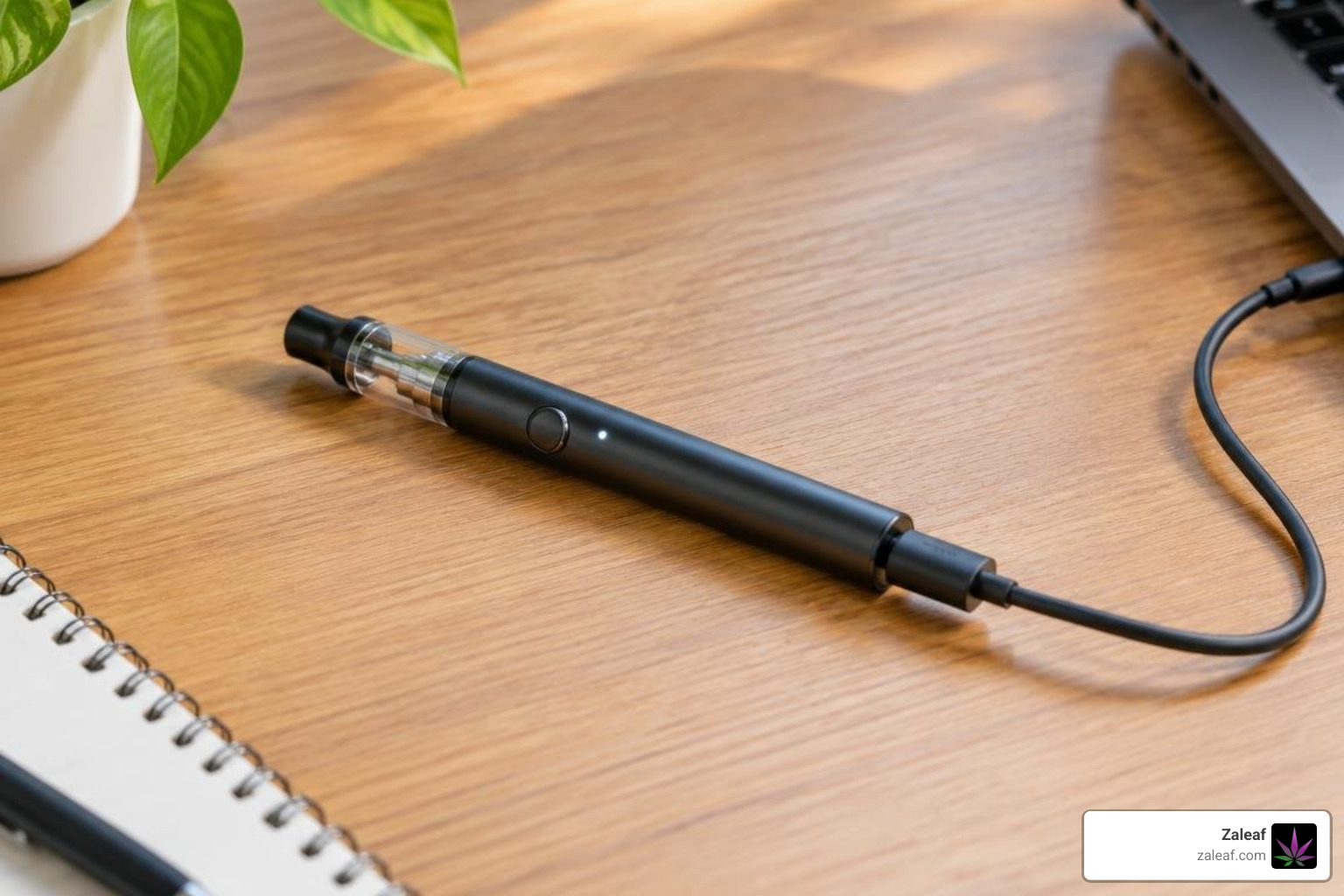
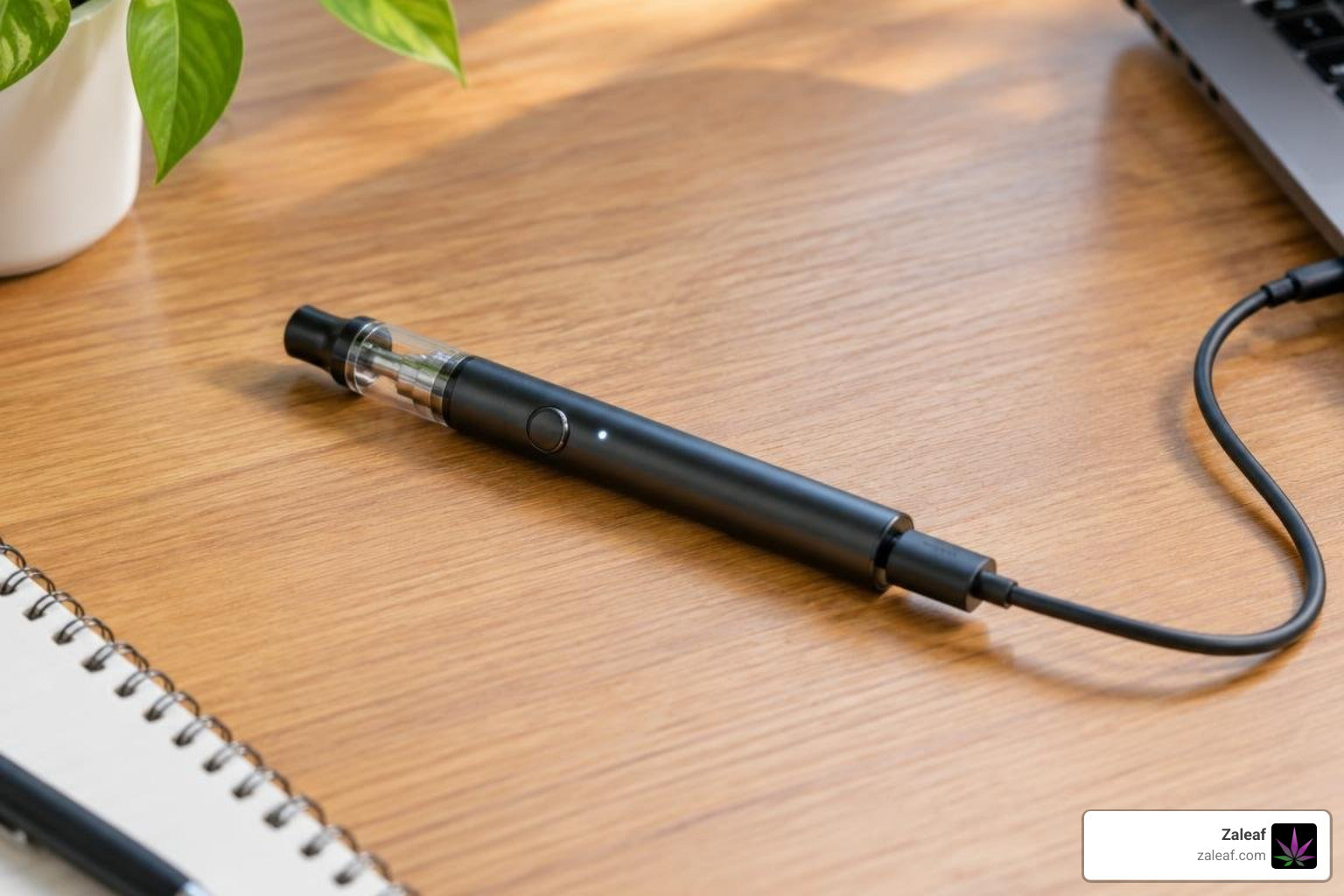
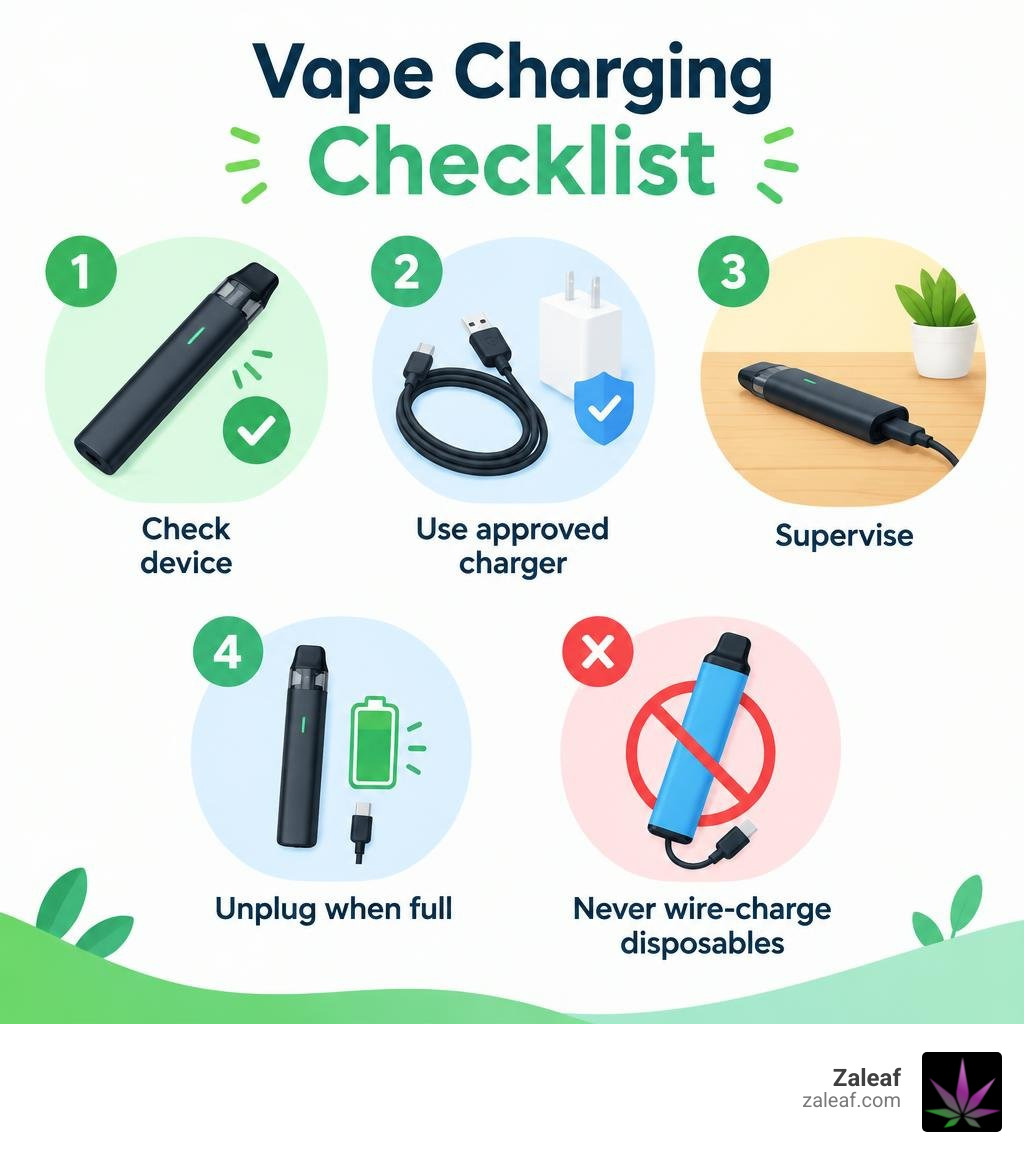
Here’s how to charge a vape safely: First, check that the device is designed to recharge. Use its supplied or manufacturer-recommended cable and power source. Set it on a dry, hard surface where you can keep an eye on it, then unplug it when the indicator shows a full charge. If the device has removable batteries, use a charger made for those cells. Never try to charge a single-use vape with no charging port.
Charging should not be a guessing game. The right method depends on the device, and unusual heat, swelling, or a burning smell means you should stop charging at once.
I’m Max Shemesh, owner and CEO of Zaleaf. My work in the cannabinoid industry has taught me the value of clear product guidance, so I’ll walk you through how to charge a vape and spot problems before they get worse.
Related content about how to charge a vape:
Device Check: Identifying Your Vape Type Before Plugging In
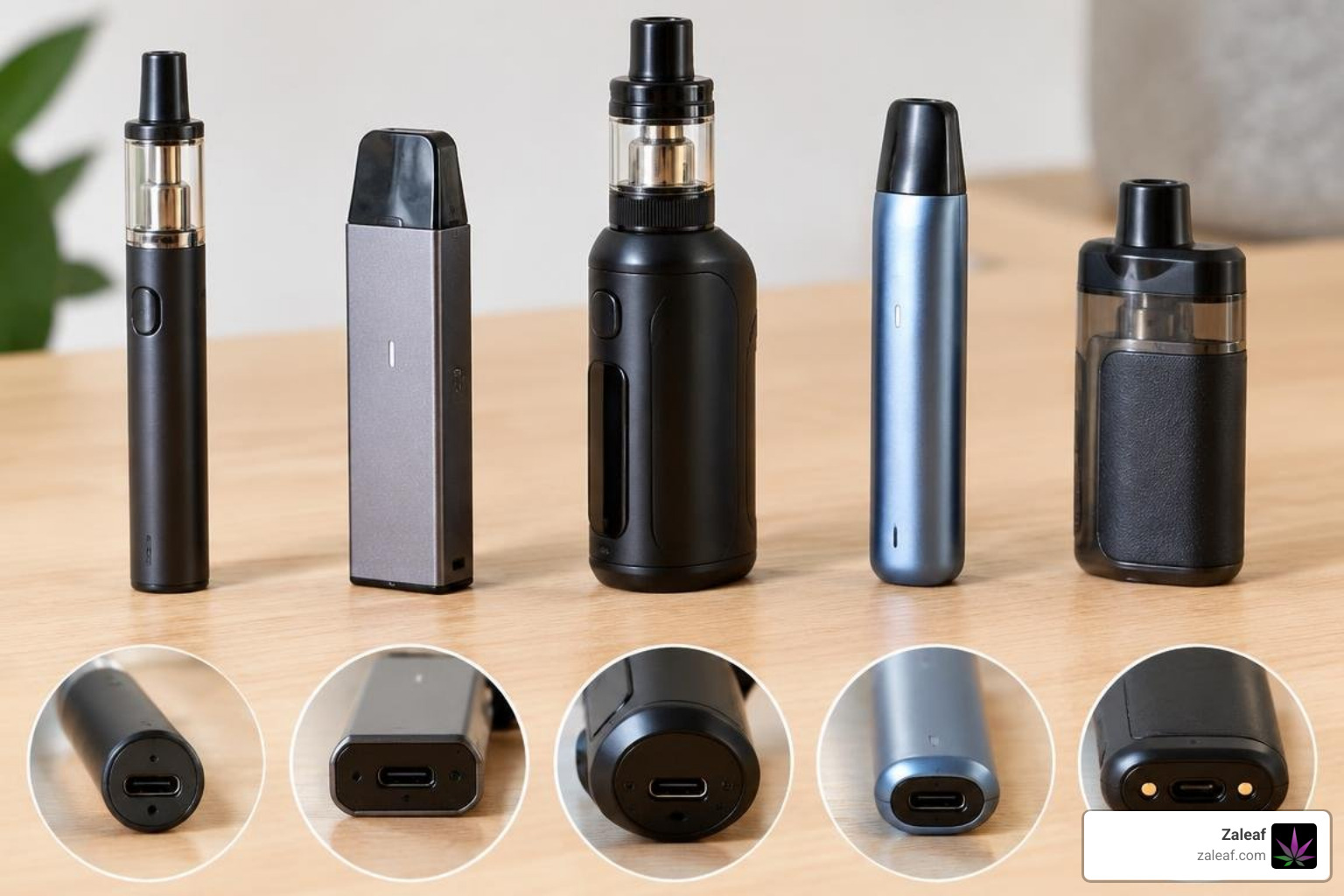
Before you plug anything into a wall, you must determine what kind of hardware you are holding. Vaporizers rely on compact, energy-dense lithium-ion batteries. While these power packs deliver steady voltage for smooth draws, they require specific handling depending on whether their power cell is integrated or removable.
When choosing between disposable and non-disposable pens, you will encounter three main hardware designs:
- Rechargeable Disposables: These devices come pre-filled with oil or e-liquid but feature an external USB port (usually USB-C or Micro-USB) located on the base or side. They allow you to deplete all internal extract over multiple charging sessions before safe disposal.
- Traditional Single-Use Disposables: Understanding disposable devices of this variety is straightforward: they have completely sealed metal or plastic enclosures without any USB ports. Once the pre-charged internal battery dies, the entire device is finished.
- Refillable Pods, 510 Thread Batteries, and Box Mods: These are permanent hardware platforms that use integrated lithium cells or swappable external batteries designed for hundreds of recharge cycles.
Never assume a vape is rechargeable just because it is shaped like one. Look closely at the bottom and sides for an actual charging port.
How to Charge a Vape with a Built-In Battery
Devices with integrated batteries house their power cells permanently inside the chassis. Most modern vape pens, oil batteries, and pod systems fall into this category.
To power up an internal cell safely:
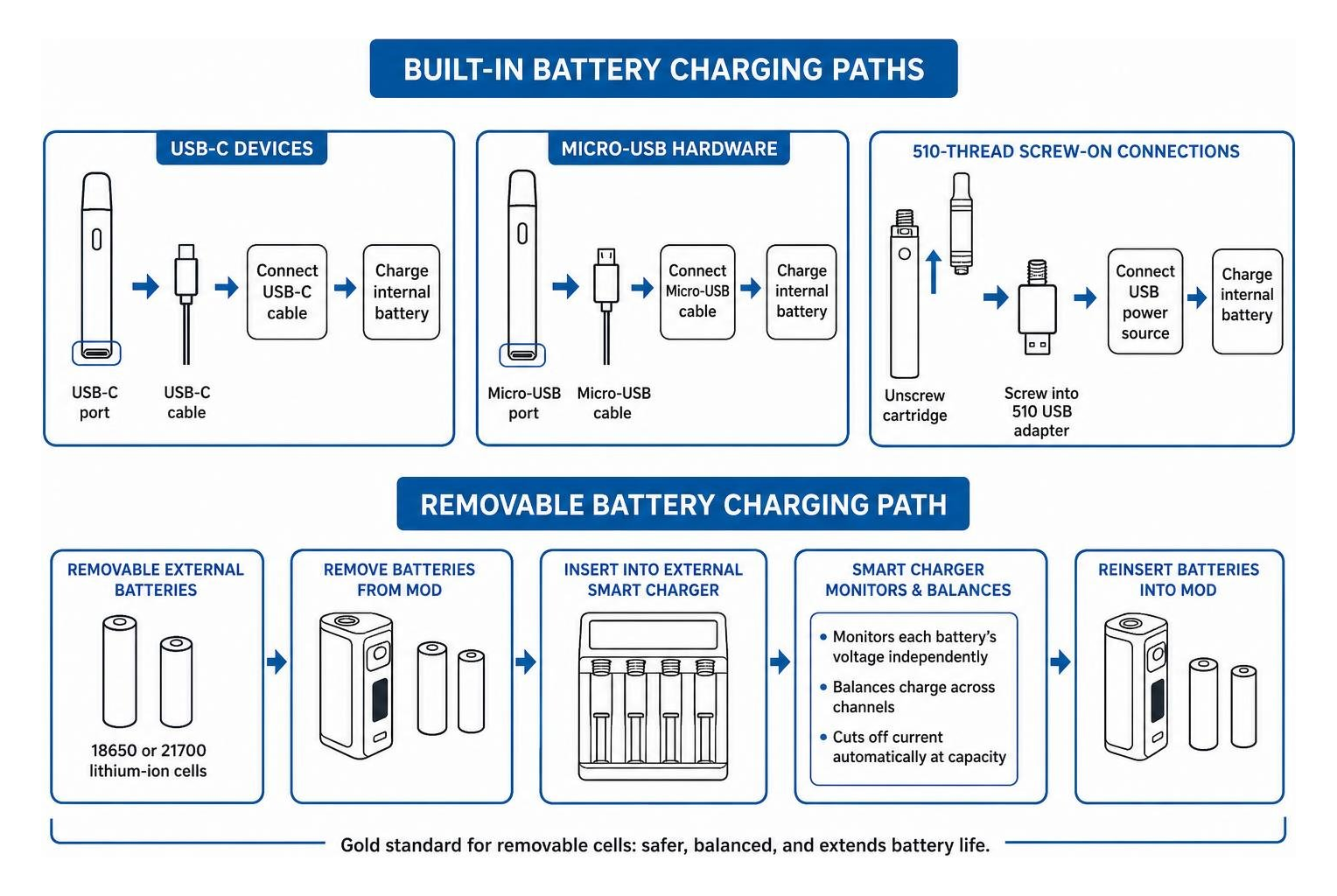
- USB-C Devices: Inspect the port for dust or lint. Connect a certified USB-C vape charger cable directly to the port. USB-C ports measure approximately 8.24mm by 2.4mm, allowing the connector to insert in either orientation.
- Micro-USB Hardware: Older hardware often uses a rectangular Micro-USB port (around 6.85mm by 1.8mm). Align the narrow and wide sides carefully before pressing the plug into place to avoid snapping internal solder pins.
- 510-Thread Screw-On Connections: Many slim cannabis oil pen batteries lack a side USB port and instead charge through the top threading. Unscrew the cartridge, gently wipe away any leaked residue from the metal contact, and screw the battery into a dedicated USB adapter. For detailed steps on these classic pens, consult our guide to 510 thread battery charging methods.
How to Charge a Vape with Removable External Batteries
High-powered box mods often rely on replaceable cylindrical lithium-ion cells, most commonly 18650 or 21700 sizes. While some of these mods feature onboard USB ports, relying exclusively on the device's USB port can cause uneven charging across dual-cell configurations and place excessive thermal strain on the internal board.
The gold standard for removable cells is an external multi-bay smart charger. An external bay monitors each battery's voltage independently, balances the charge across channels, and cuts off current automatically when cells reach capacity.
Before inserting removable batteries into a charger:
- Inspect the plastic outer wrap. If you see any tears, nicks, or exposed metal on the sides or near the top positive insulator ring, rewrap the cell immediately. An exposed battery hull touching a conductive surface can cause an instantaneous dead short.
- If your mod uses two or more batteries, keep them "married." Married pairs are bought together, charged together in the same bay, discharged at the exact same rate in your mod, and retired together. This prevents voltage imbalances that strain your hardware.
- Reviewing unprotected battery risks is essential for anyone handling raw lithium-ion cells outside of an integrated device shell.
Step-by-Step Guide on How to Charge a Vape Safely
Most vaping-related battery incidents occur during the charging process rather than during active use. Practicing proper safety habits keeps your hardware running reliably and eliminates fire hazards. Regulatory bodies like the FDA provide clear tips to help avoid vape battery fires or explosions, and following these steps ensures full compliance with those safety standards.
- Inspect the Hardware: Check the charging port, cable, and battery body for physical damage, cracks, moisture, or lint.
- Choose a Stable Surface: Always set your charging vape on a hard, clean, non-flammable surface, such as a tile or stone countertop or a wooden desk. Never charge on beds, sofas, carpets, or under pillows where heat cannot dissipate.
- Connect to a Low-Output Power Supply: Plug the cable into a dedicated 5V/1A wall brick, a desktop USB port, or a certified power bank.
- Supervise the Process: Charge your device in an area where you can see it. Never leave batteries charging unattended or plugged in overnight while you sleep.
- Disconnect Immediately at Full Charge: As soon as the LED or screen indicates that the cell is full, unplug the cable.
For a deeper dive into day-to-day charging hygiene, explore our guide on proper vape pen charging habits.
Selecting the Correct Voltage, Amps, and Cable
The most common mistake vapers make is grabbing a modern ultra-fast smartphone or laptop charging brick (18W, 30W, 65W, or higher) and connecting it to a small vape pen.
Standard vape pens and cartridge batteries are engineered to accept a maximum input of 5 Volts at 0.5 to 1.0 Amp (5V/1A). Advanced dual-battery mods may support up to 5V/2A. While some modern smart devices feature internal power-management chips that throttle incoming current, basic vape batteries lack complex handshaking protocols. Delivering high-amperage current can overwhelm the circuit board, leading to rapid degradation, thermal stress, or complete failure.
Stick to reliable low-output power supplies:
- A standard 5V/1A wall adapter brick
- A powered USB 2.0 or 3.0 port on your desktop computer or laptop
- Manufacturer-supplied cables and charging docks specifically designed for your device model
If you use slim extract pens, picking the right 510 battery charger options ensures you never over-drive delicate internal micro-circuitry.
The Dangers of DIY Recharging Single-Use Disposables
You may have encountered viral online tutorials demonstrating how to tear open a dead disposable vape, strip a cut USB cord down to exposed red and black wires, and manually tape them to internal battery terminals.
Never attempt this under any circumstances.
Traditional non-rechargeable disposables are designed as single-use, closed-circuit systems. Their internal lithium cells lack overcharge protection circuits, thermal cutoff regulators, and pressure-release vents. Manually attaching live current to a raw, unprotected cell can rapidly trigger thermal runaway—a catastrophic chemical reaction where internal temperatures skyrocket in seconds, causing toxic gas venting, battery ballooning, burns, and potential explosions.
Furthermore, standard single-use disposables are factory-calibrated so that the battery runs out of power at roughly the same time the internal reservoir runs out of e-liquid. Even if you manage to force a manual charge without causing an explosion, you will almost certainly end up inhaling burnt cotton and scorched coil wire. If you want a device that lasts, check out our tutorial on recharging disposable vape hardware that features manufacturer-installed USB ports.
How Long Does It Take to Charge a Vape?
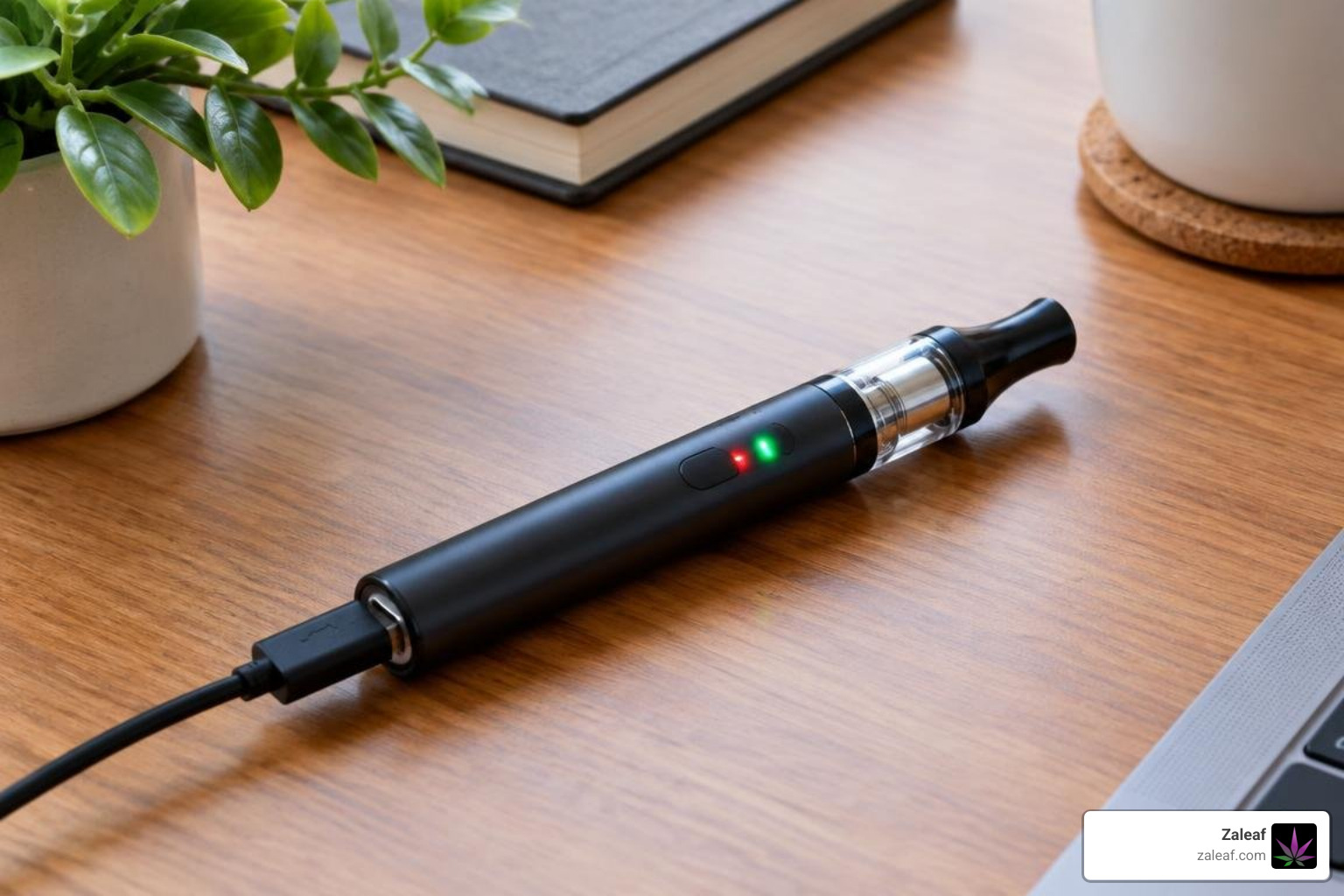
Vape charging duration depends primarily on the battery's capacity—measured in milliamp-hours (mAh)—and the charging current accepted by the device.
Lithium-ion cells utilize a two-stage charging profile: a fast constant-current stage that rapidly brings the battery from 0% to about 80%, followed by a slower constant-voltage "trickle charge" that carefully fills the remaining 20% to prevent overheating and cell degradation.
| Device Type | Average Battery Capacity (mAh) | Recommended Port / Charger | Average Charging Time |
|---|---|---|---|
| Slim 510 Oil Pen | 300 – 500 mAh | 5V/0.5A – 1A (USB-C / 510 Thread) | 30 – 50 minutes |
| Pod System / Small Vape | 500 – 1000 mAh | 5V/1A (USB-C / Micro-USB) | 45 – 75 minutes |
| Mid-Size Mod / Large Pod | 1000 – 1500 mAh | 5V/1A – 2A (USB-C) | 1 – 2 hours |
| Dual 18650 Box Mod | 4000 – 6000 mAh (Combined) | External Smart Bay Charger | 2.5 – 4 hours |
To better gauge how your device behaves throughout its cycle, review our breakdown on vape charging duration.
Decoding Charging Lights and Screen Indicators
Because LED patterns vary by manufacturer, learning your device's visual language ensures you know exactly when to unplug:
- Pulsing or Breathing Light: The device is actively charging and taking in current.
- Color Transitions: Many pens shift from Red (under 30%) to Blue or Yellow (30% to 70%), and finally to Green or White (above 70%).
- Solid Light or Light Shuts Off: On most pod systems and pens, a solid white/green light—or an LED that turns completely off—indicates that the charge cycle is complete.
- Digital Displays: Advanced devices display an animated battery icon or an exact real-time percentage on an OLED or ClearView screen.
- Rapid Blinking During Use (10 to 15 Flashes): The battery is completely depleted and requires an immediate charge.
- Rapid Blinking While Plugged In: An alert indicating a poor connection, dirty contact pin, or an over-voltage warning from an incompatible fast charger.
Troubleshooting Common Vape Charging and Post-Charge Issues
It is incredibly frustrating to leave your vape plugged in for an hour, only to pick it up and find it completely unresponsive. Before you throw your hardware in the trash, run through this step-by-step diagnostic checklist.
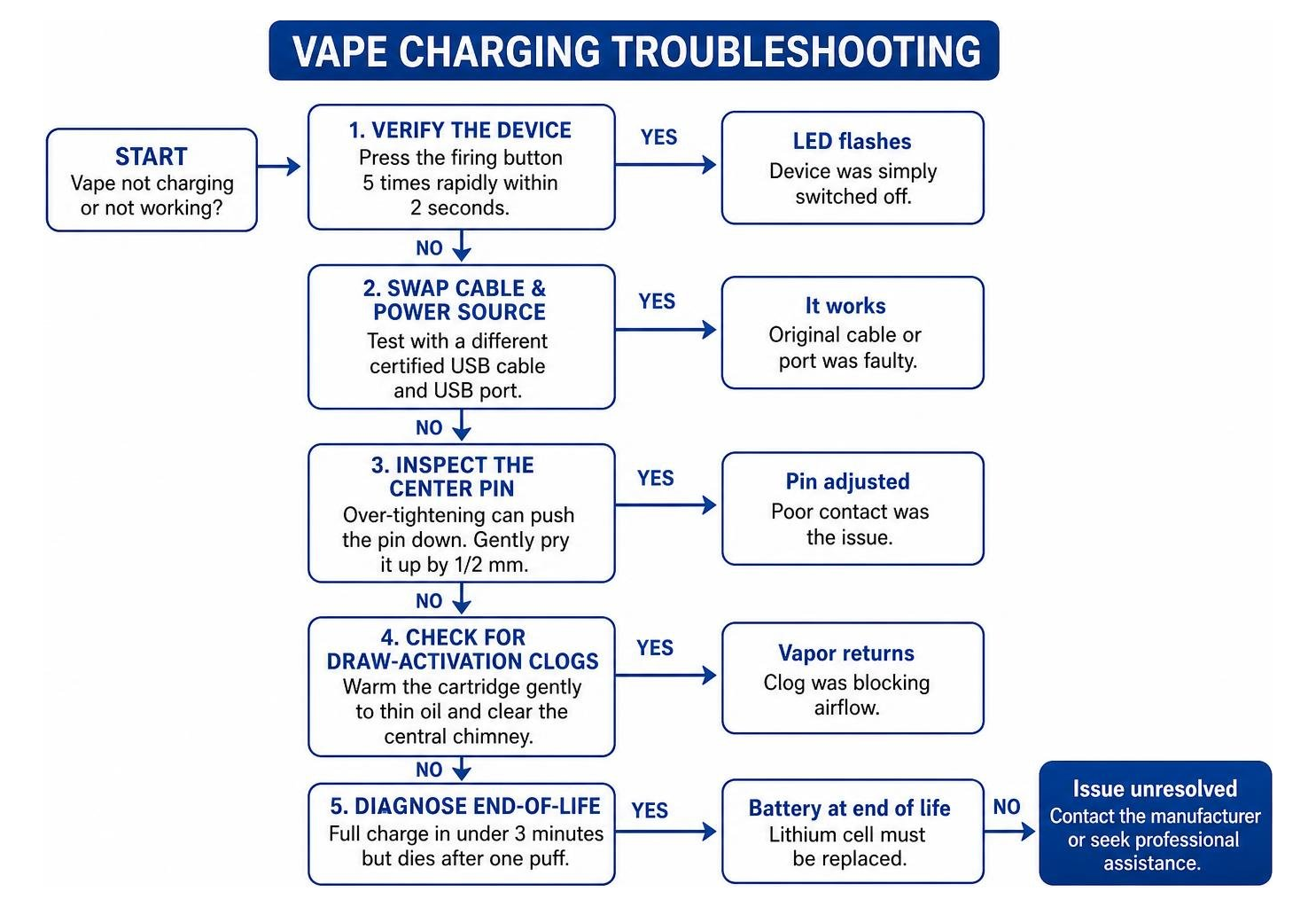
- Verify the Device Is Turned On: Many manual vape pens feature an internal safety lock. Press the firing button 5 times rapidly within 2 seconds. If the LED flashes, the device was simply switched off. Review common vape pen button functions to confirm lock/unlock sequences.
- Swap the Cable and Power Source: Cables bend and fray internally over time. Test your vape using a different certified USB cable plugged into a different USB port to isolate cable failure.
- Inspect the Spring-Loaded Center Pin: On 510-threaded batteries, over-tightening a cartridge can push the central gold contact pin down so far that it cannot touch the charger. Turn the battery off, take a small wooden toothpick or pair of tweezers, and very gently pry the center pin upward by half a millimeter.
- Check for Draw-Activation Clogs: If your draw-activated pen lights up when charging but produces no vapor when you inhale, thick oil may be blocking the airway. Warm the cartridge gently between your palms to thin the extract and clear the central chimney.
- Diagnose End-of-Life Symptoms: If a battery indicates a full charge in under 3 minutes but dies immediately after taking one puff, the lithium cell has reached the end of its chemical cycle life and must be replaced.
For more device-specific repair strategies, visit our comprehensive guide on diagnosing a battery not charging.
Cleaning Connection Ports and 510 Threads
Over time, pocket lint, dust, and microscopic oil leaks build up inside charging ports and connection threading, creating an insulating barrier that prevents electrical current from flowing.
To clean your device safely:
- Disconnect the vape completely from any power cable and remove the tank or cartridge.
- Take a wooden toothpick and gently sweep out compacted pocket lint from the corners of your USB-C or Micro-USB port. Never use metal pins or needles inside a charging port, as metal can bridge contacts and short-circuit the board.
- Dip a cotton swab in high-percentage isopropyl alcohol (90%+), shake off any excess so it is barely damp, and thoroughly swab the threaded 510 connection and center brass pins.
- Let the device air-dry completely for 5 to 10 minutes before screwing a cartridge back on or plugging in the charger.
Follow our step-by-step tutorial on cleaning 510 threads for best maintenance practices.
What to Do If Your Battery Overheats or Swells
While severe lithium-ion malfunctions are rare, knowing how to handle an overheating cell can prevent a small electrical failure from turning into a structure fire.
Immediate Danger Signs:
- The vape becomes uncomfortably or painfully hot to the touch while charging.
- You notice a foul, sweet, or sharp chemical odor (a sign of venting electrolyte gas).
- The battery enclosure bulges, expands, or deforms.
- You hear hissing, popping, or see faint smoke.
Emergency Action Plan:
- Unplug Instantly: If it is safe to do so without burning your hands, disconnect the power cable immediately from the wall outlet.
- Isolate the Device: Move the vape away from all flammable items (paper, curtains, blankets, wood). Place it onto a non-combustible surface—such as concrete, stone tile, or inside a metal pot or ceramic mug.
- Do Not Inhale Venting Fumes: Leave the room and let the device cool down undisturbed for several hours.
- Dispose of Properly: Never throw a swollen, venting, or heat-damaged lithium battery into standard household trash or curbside recycling bins. Tape over the contacts with electrical tape and bring it to a local hazardous electronic waste drop-off or dedicated battery recycling point.
Best Practices to Extend Your Vape Battery Lifespan
A quality lithium-ion battery typically holds a strong charge for 300 to 500 charge-discharge cycles—meaning you can expect roughly one year of solid daily use before capacity noticeably drops. However, adopting proper charging habits can dramatically increase your cell's operational longevity by 50% to 200%.
- Avoid the 0% to 100% Extreme Cycle: Lithium-ion chemistry suffers the highest physical and chemical stress at extreme voltage states (below 20% and above 80%). Whenever possible, recharge your battery when it reaches 20% to 30%, and unplug it around 80% to 90%.
- Prevent Heat Exposure: Heat is the number-one enemy of battery health. Never leave your vape on a car dashboard in the sun, near a radiator, or next to high-heat electronics while charging. Operating or storing batteries above 85°F (30°C) accelerates internal chemical degradation.
- Charge at Room Temperature: Never charge a freezing-cold battery. If your vape was left in a cold vehicle during winter, let it sit at room temperature for an hour before plugging it in. Charging sub-freezing lithium cells causes permanent lithium metal plating on the anode, severely ruining capacity and creating internal short hazards.
- Store at Partial Charge: If you plan to store a vape or backup 18650 cell without using it for several weeks, store it at roughly 40% to 60% charge in a cool, dry place inside a protective plastic case.
For additional longevity strategies, explore our in-depth vape battery lifespan guide and check our tips on optimizing battery life.
Frequently Asked Questions about Charging a Vape
Can I use my fast-charging smartphone brick to charge my vape?
No. You should avoid high-wattage fast-charging smartphone or laptop adapters (such as 18W, 30W, 45W, or 65W bricks) unless your vape's instruction manual explicitly states it supports high-wattage USB Power Delivery (PD). Standard vape batteries are engineered to charge at 5 Volts and 1 Amp (5V/1A). High-wattage bricks can deliver excess current, overheating internal components and permanently bricking your battery. Stick to a standard 5V/1A wall brick or a desktop computer USB port.
Is it safe to leave a vape charging overnight?
No, it is not safe to charge your vape overnight while sleeping. While many modern vapes contain internal cutoff chips, microcontrollers can fail. Leaving a device plugged in unattended for 6 to 8 hours exposes the lithium-ion cell to continuous trickle currents and extended heat exposure. Always charge your vape while you are present, awake, and able to monitor it on a hard, flat, non-flammable surface, and unplug it as soon as it reaches full charge.
How many charging cycles does a vape battery last?
A standard lithium-ion vape battery lasts between 300 and 500 complete charge-discharge cycles under normal conditions. For daily users, this equates to roughly 12 to 18 months of reliable performance. You can tell your battery is reaching the end of its lifespan when it requires charging significantly more often, drains rapidly after just a few draws, or takes unusually long to complete a charge cycle.
Conclusion
Mastering charging hygiene is the easiest way to protect your hardware investment, maintain peak flavor, and eliminate safety risks. By always verifying your device type, using dedicated 5V/1A power supplies on hard, non-flammable surfaces, and keeping your connection points free of dust and lint, you guarantee smooth, reliable draws every single session.
At Zaleaf, we believe that world-class hardware should always be paired with premium extract. We provide 100% legal cannabis products with fast shipping and discreet packaging right to your door. Our extracts are formulated to enhance specific cannabinoid and terpene profiles for mood-tailored effects, and every single batch undergoes rigorous third-party lab testing for purity and potency—with no ID or medical card required.
Ready to take your hardware's performance to the next level? Read our expert tutorial on maximizing your vape battery life and speed to keep your sessions running at peak power.