

Vape Battery Not Charging? Here's What to Do
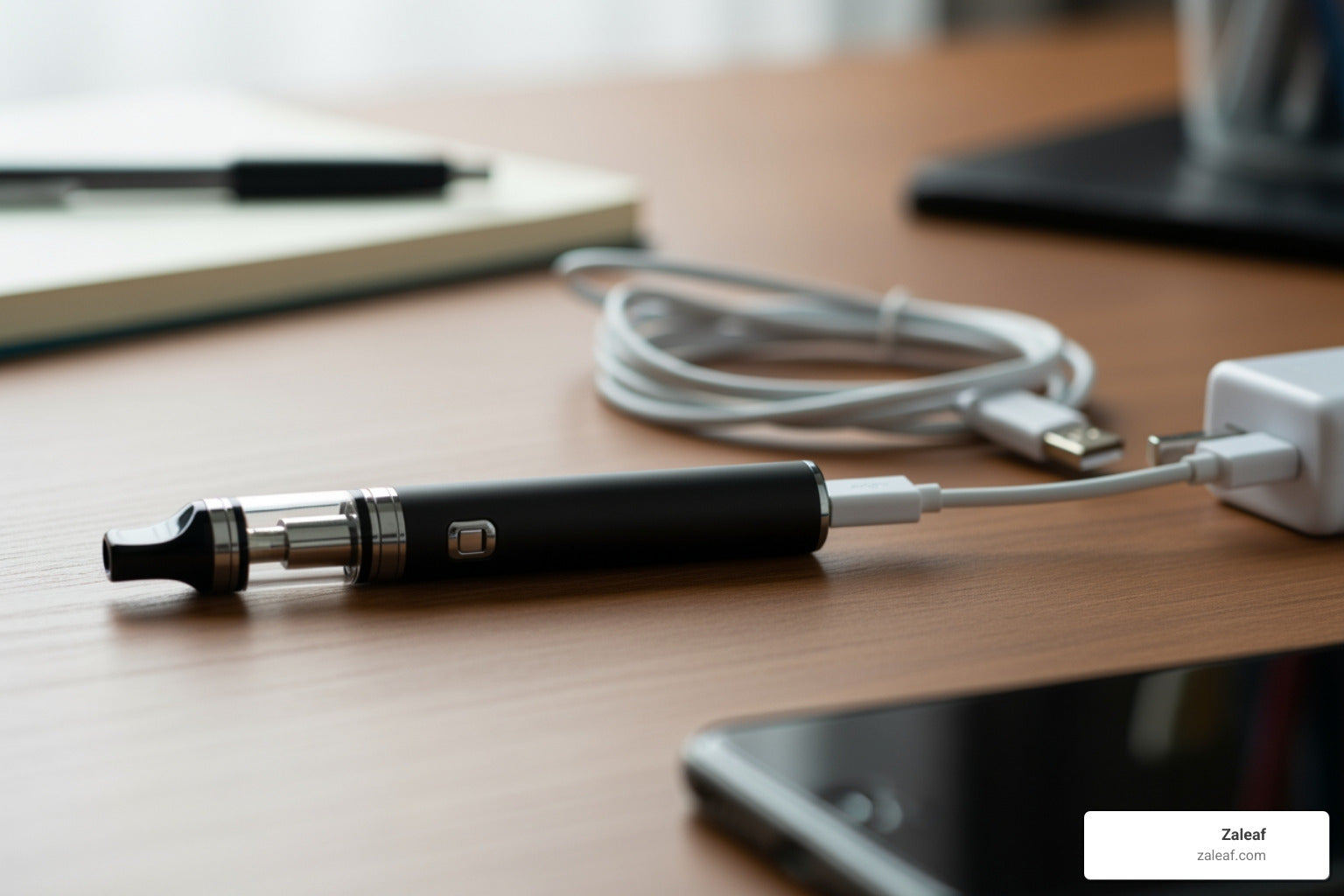
Why Your Vape Pen Suddenly Won't Power Up
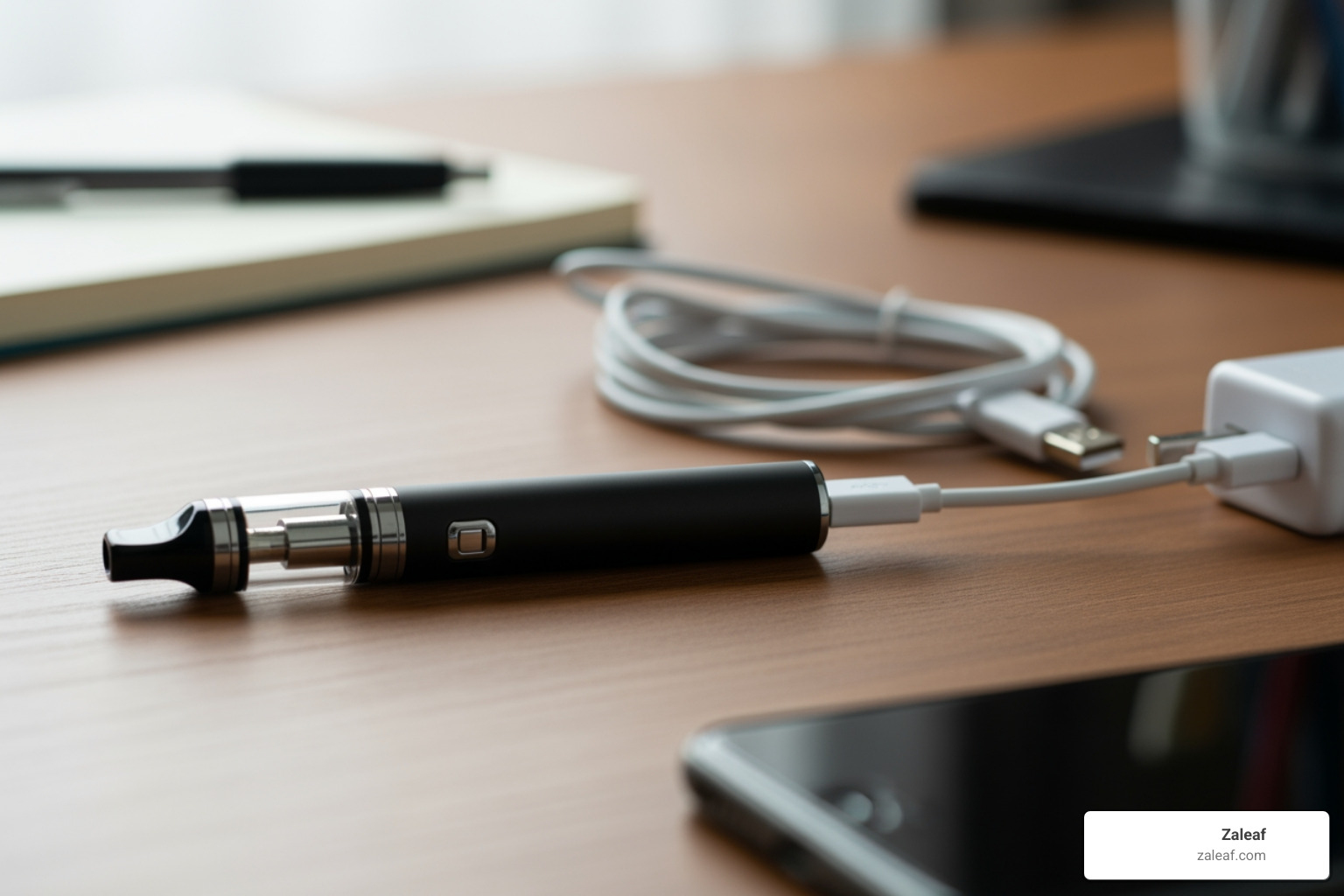
A battery not charging is one of the most frustrating problems vape users face. You plug in your device, expecting it to power up, and nothing happens—no light, no charge, just a dead battery that refuses to cooperate.
Quick Fix Checklist:
- Try a different USB cable or charger - Faulty cables are the #1 cause
- Clean the connection points - Remove lint, debris, and e-juice residue with isopropyl alcohol
- Check your power source - Test a different wall outlet or USB port
- Let a fully drained battery charge for 30-60 minutes - Deep discharge requires patience
- Inspect for physical damage - Swelling, cracks, or excessive heat means replace immediately
The good news? Most charging issues can be fixed in just a few minutes with simple troubleshooting steps. The research shows that dead batteries, damaged charging ports, incompatible chargers, and dirty connections account for nearly all charging failures. Sometimes the battery isn't broken at all—it just needs a thorough cleaning or a compatible charger.
As Max Shemesh from Zaleaf, I've helped thousands of customers troubleshoot battery not charging issues across hundreds of retail locations nationwide, and I've seen that most problems stem from easily fixable causes. In this guide, I'll walk you through exactly how to diagnose and fix your vape battery, so you can get back to enjoying your device without the hassle.
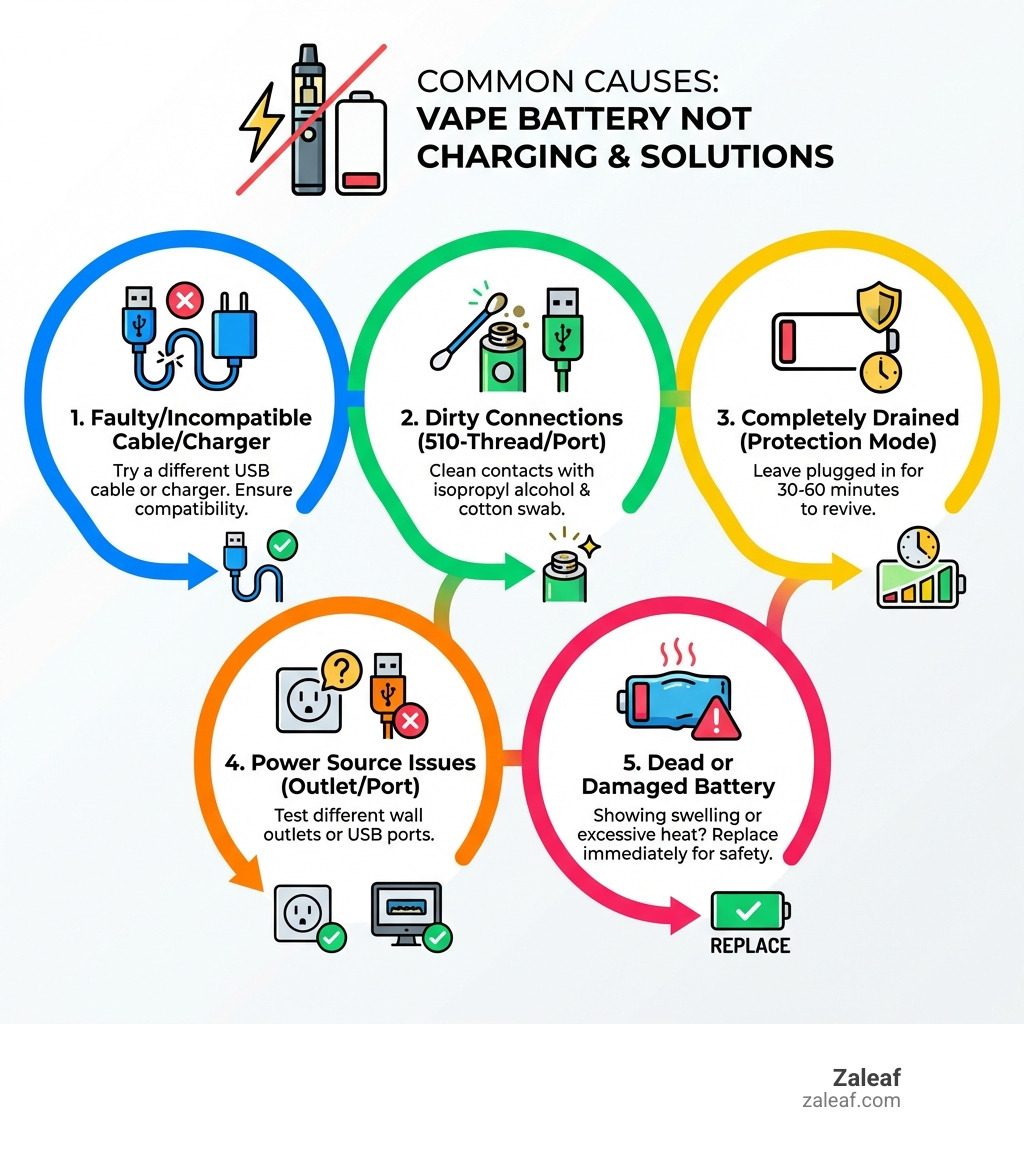
Battery not charging terms you need:
Why Is My Vape Battery Not Charging? Common Culprits
When your beloved vape pen decides to play dead, it's easy to jump to conclusions and assume the worst. But before you mourn your device, let's explore the common reasons a vape battery might refuse to charge. Understanding the root cause is half the battle, and often, the solution is much simpler than you think.
First, it's crucial to differentiate between a battery not charging and a battery not holding a charge. If your device lights up when plugged in but quickly dies when disconnected, that's a battery not holding a charge, often a sign of an aging or degraded battery. However, if you plug it in and get absolutely no indication of life – no lights, no warmth, nothing – then we're dealing with a genuine "not charging" issue. This usually points to a problem with the charging pathway rather than the battery itself.
The most frequent culprits we see are:
- Faulty Charger or Damaged USB Cable: This is by far the most common reason. Just like any other electronic accessory, vape chargers and cables can wear out over time.
- Dirty Connection Points: Gunk, lint, or e-juice residue can create a barrier, preventing electrical contact.
- Power Source Problems: Sometimes, the issue isn't your vape at all, but the wall outlet or USB port you're using.
- A Completely Drained Battery: If a battery runs completely dry, it can enter a "protection mode" that makes it seem unresponsive at first.
- Device Safety Lock: Many vape pens have a safety feature that requires a certain number of clicks to turn them on or off, which can sometimes be mistaken for a charging issue.
Let's dive deeper into each of these common issues.
Charger and Cable Failures
Ah, the humble charger and cable – often overlooked, yet critical components of your vaping experience. When your vape battery not charging, these are the first suspects we investigate.
- Frayed Wires: Take a good look at your USB cable, especially near the connectors. Are there any visible kinks, tears, or exposed wires? Frayed wires can interrupt the flow of electricity, making your charger ineffective or even dangerous.
- Bent USB Connector: Whether it's the micro-USB, USB-C, or proprietary connector, the small pins inside can bend or break, preventing a proper connection. If your cable feels loose when plugged into your vape or wiggles excessively, a bent connector might be the problem.
- Incompatible Charger: Not all chargers are created equal! While many vape pens use standard USB connections, they often require specific voltage and amperage. Using a phone charger that delivers too much power (like some fast chargers) can damage your vape battery over time, while one that provides too little might not charge it at all. When mixing and matching laptop power adapters, ensure the correct power supply with the same polarity and voltage. The same principle applies to vape pens. Always use the charger that came with your device or a manufacturer-approved replacement. You can learn more about finding the right one in our guide to Finding your perfect vape pen charger cable and universal options.
- Wall Adapter Issues: Sometimes the cable is fine, but the wall adapter (the "brick" you plug into the outlet) is the culprit. These can fail internally, especially if they've been dropped or subjected to power surges.
Dirty or Blocked Connections
Imagine trying to drink water through a straw that's clogged with gunk – not going to work, right? The same applies to your vape's charging connections. Even a tiny bit of foreign material can prevent the electrical current from reaching your battery.
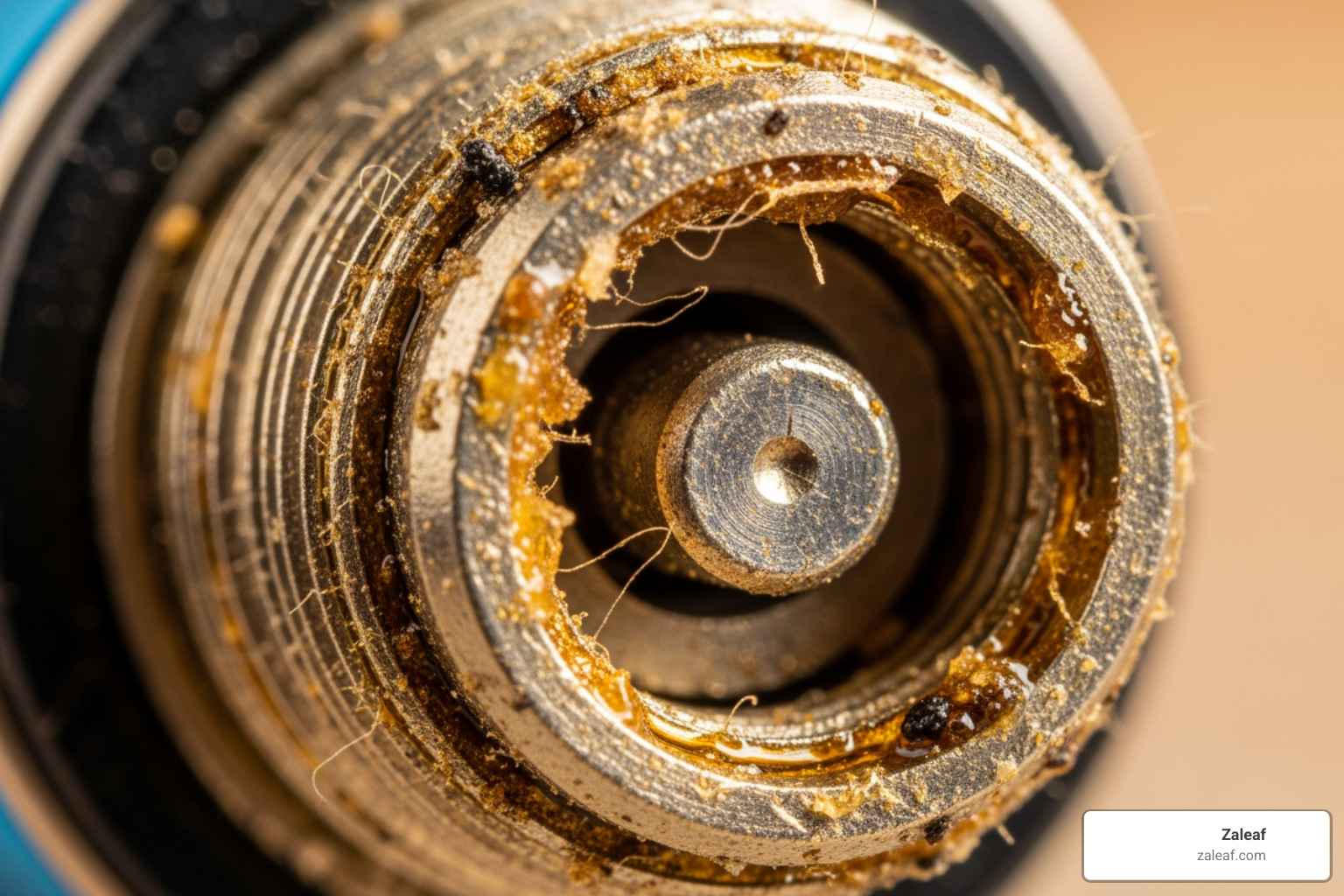
- Pocket Lint and Debris: Our vape pens often live in pockets, purses, or bags, which are veritable lint factories. Over time, tiny fibers, dust, and other debris can accumulate in the charging port (usually a micro-USB or USB-C slot) or on the 510-thread connection. This creates a physical barrier, blocking the charger's pins from making proper contact with the device's charging pads.
- E-juice Residue: Vaping can be a messy business. Sometimes, small amounts of e-juice can leak or condense, finding their way into the charging port or the 510-thread connection where your cartridge screws in. This sticky residue can be an excellent insulator, preventing electricity from flowing.
- Poor Electrical Contact: When these connections are dirty, the charger might physically plug in, but the electrical circuit isn't completed. This leads to your battery not charging and you wondering what went wrong. A clean connection ensures direct and efficient power transfer.
For 510-thread batteries, specifically, the central pin in the threading needs to make good contact with the cartridge. If it's pushed down or gunked up, it won't connect, and your battery might not even recognize that a cartridge is attached, let alone charge properly.
A Completely Drained or Damaged Battery
Sometimes the problem lies squarely with the battery itself. Batteries, like all good things, don't last forever.
- Deep Discharge State: If you leave your vape pen unused for an extended period, especially with a low charge, the battery can enter a "deep discharge" state. This is a protective measure where the battery essentially shuts down to prevent further damage. When this happens, it can seem like the battery not charging at all, even when plugged in. It requires a bit of patience and a gentle coaxing to "wake up" the battery.
- Physical Damage: Has your vape pen taken a tumble recently? Physical trauma can damage the internal components of the battery or the charging circuitry. Look for visible signs of damage like dents, cracks, or a bent charging port.
- Swelling: This is a critical warning sign. If your vape battery appears swollen or bloated, it indicates a serious internal chemical issue. Immediately stop using and charging the device if you see swelling. This is a fire hazard and requires safe disposal and replacement.
- Old Battery / End of Life Cycle: All rechargeable batteries have a finite lifespan, typically measured in charge cycles. Over time, their capacity diminishes, and they become less efficient at holding and accepting a charge. If your vape pen is a few years old and its battery life has been steadily declining, a complete charging failure might simply be its way of telling you it's time for retirement. For more on the risks of unprotected batteries, check out Stay safe: Understanding unprotected vape battery risks.
Step-by-Step Guide to Fixing a Vape Battery Not Charging
Now that we've covered the common culprits, let's get down to business. This troubleshooting guide is designed to walk you through a systematic process of elimination, starting with the simplest fixes. Safety first! If at any point you notice excessive heat, smoke, or a burning smell, immediately unplug the device and discontinue use.
Step 1: Check Your Charger and Power Source
This is where most battery not charging mysteries are solved. Don't underestimate the power of a simple swap!
- Inspect USB Cable: Give your USB cable a thorough visual inspection. Look for any signs of damage: fraying near the connectors, kinks, cuts, or exposed wires. If it looks compromised, toss it and grab a new one. Even if it looks fine, it could still be internally damaged.
- Check Wall Adapter: Examine the wall adapter (the "brick"). Are there any cracks, burn marks, or bent prongs? If it's a multi-part adapter, ensure all pieces are firmly connected.
- Try a Different Wall Outlet: Sometimes the problem isn't your charger but the power outlet itself. Plug your charger into a different wall outlet that you know is working (e.g., one that powers a lamp or another device). A faulty outlet can lead to low voltage, significantly impacting charging performance. You can even check for a faulty outlet with an outlet tester for a definitive answer.
- Test with a Different USB Port: If you're charging from a computer or power bank, try a different USB port. Some ports might not provide enough power, or they could be damaged.
- Use a Known-Good Charger: The best way to isolate the problem is to try charging your vape with a charger (cable and adapter) that you know works with another device. If your vape charges with the new setup, you've found your culprit!
Step 2: Thoroughly Clean All Connection Points
Dust, lint, and e-juice residue are sneaky little villains that can prevent your vape battery not charging. A quick clean can often bring your device back to life.
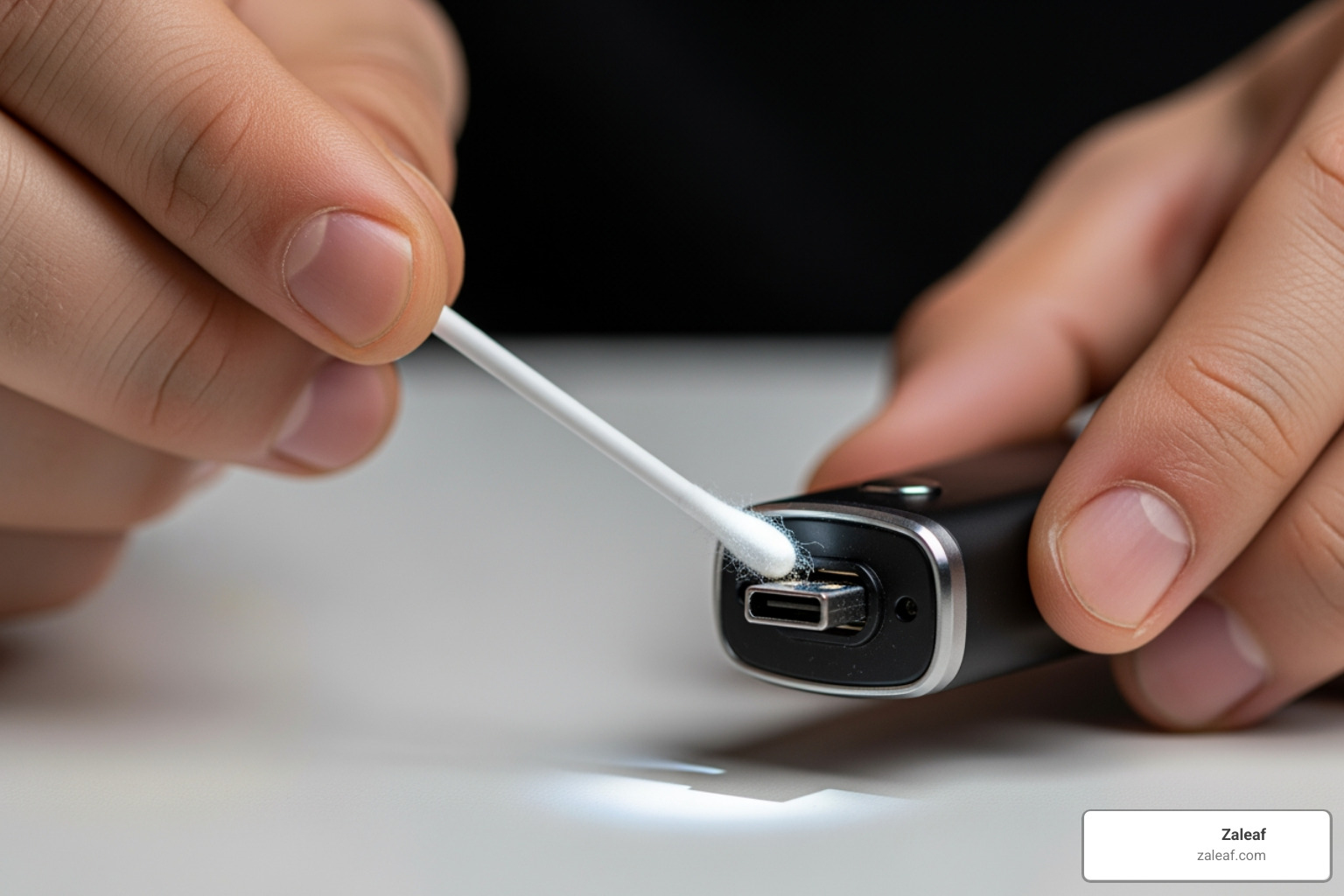
- Gather Your Tools: You'll need a dry cotton swab (or a toothpick wrapped with a tiny bit of cotton), and some isopropyl alcohol (at least 70% concentration). A can of compressed air can also be useful.
-
Cleaning the USB Charging Port:
- Power Off: Make sure your vape pen is completely powered off.
- Inspect: Shine a light into the USB port. Do you see any lint, dust bunnies, or sticky residue?
- Compressed Air: Use a quick burst of compressed air to dislodge any loose debris.
- Gentle Scrub: Dip the end of a dry cotton swab into isopropyl alcohol, then gently dab it off so it's damp, not dripping wet. Carefully insert the damp swab into the USB port and gently clean the contacts. Be extremely careful not to bend any internal pins.
- Dry: Allow the port to air dry completely for several minutes before attempting to charge.
-
Cleaning 510 Threads (if applicable):
- Unscrew Cartridge: Remove your cartridge from the battery.
- Inspect: Look at the threading and the central contact pin on your battery. Is there any e-juice residue, dirt, or discoloration?
- Damp Swab: Lightly dampen a cotton swab with isopropyl alcohol.
- Clean Threads: Gently clean the threads and around the central pin on the battery. You might need to gently rotate the swab to get into the grooves.
- Clean Cartridge (Optional but Recommended): While you're at it, clean the bottom of your cartridge as well.
- Dry: Ensure both the battery and cartridge connections are completely dry before reattaching and attempting to charge.
Isopropyl alcohol is excellent for electronics because it evaporates quickly and leaves no residue.
Step 3: Troubleshoot a battery not charging after a full drain
If your vape pen has been sitting idle for a long time and the battery completely drained, it might be in a deep discharge protection mode. This is where patience is a virtue!
- Deep Discharge Recovery: Plug your vape pen into a working charger and a reliable power source. Instead of expecting an immediate light, leave it plugged in for at least 30-60 minutes. Sometimes, a deeply discharged battery needs a continuous, low-current trickle charge to "wake up" before it can accept a full charge. Think of it like gently nudging a sleeping bear – you don't want to startle it!
- "Waking Up" the Battery: After the initial 30-60 minutes, check for any indicator lights. If you see a faint glow or a blinking pattern, it means the battery is starting to respond. Leave it plugged in until it shows a steady charging light or full charge indication.
- Check for Button Lock Features (5-click on/off): Many vape pens have a safety feature that requires you to press the power button 5 times rapidly to turn the device on or off. If your battery is fully charged but still not responding, try this sequence. It's a common oversight that can make a perfectly fine battery seem like it's not working. Our guide Unlock your vape: A beginner's guide to cartridge battery use provides more details on these features.
When Is It Time for a New Battery?
We've tried everything, from swapping chargers to cleaning connections, and your vape battery not charging still persists. Or perhaps it's charging, but its performance is just... sad. This is when we start considering the inevitable: replacement. Batteries have a limited lifespan, and recognizing the signs of a failing battery isn't just about convenience; it's about safety.
Key Signs Your Battery Is Failing
Your vape battery usually gives you hints when it's nearing the end of its journey. Don't ignore these subtle (or sometimes not-so-subtle) messages!
- Doesn't Hold a Charge: This is the classic symptom of a dying battery. It might charge fully, but then quickly depletes, even with minimal use. If you find yourself charging constantly, it's a clear sign of diminished capacity.
- Extremely Slow Charging: While a completely drained battery might take a while to "wake up," consistently slow charging (taking hours longer than usual) despite using a known-good charger can indicate internal battery degradation.
- Gets Excessively Hot During Charging or Use: A little warmth during charging is normal, but if your vape pen becomes uncomfortably hot to the touch, it's a major red flag. This can signify an internal short or a failing battery cell, posing a significant safety risk. Discontinue use immediately.
- Physical Swelling or Leaking: As mentioned earlier, any visible swelling or bloating of the battery casing, or signs of liquid leaking, means the battery is compromised. This is a fire hazard and requires immediate, safe disposal.
- Blinking Light Error Codes: Many vape pens have indicator lights that blink in specific patterns to signal an error. While these can vary by manufacturer, persistent blinking that isn't related to a full charge or a safety lock often points to an internal battery issue. Our article Is your vape pen blinking green? Here's what it means and how to fix it can help you decode some of these signals.
If you're experiencing any of these severe symptoms, especially swelling or excessive heat, it's time to responsibly retire that battery and invest in a new one. Your safety is paramount!
Choosing Your Next Battery
So, you're in the market for a new vape battery. This is an exciting opportunity to upgrade or simply get back to reliable vaping! Here's what to consider:
- Battery Capacity (mAh): Milliamp-hours (mAh) indicate how much charge the battery can hold. Higher mAh means longer usage time between charges. If your old battery died too quickly, consider one with a higher mAh rating.
- Variable Voltage: Many advanced vape batteries offer variable voltage settings, allowing you to fine-tune your vaping experience. This can impact vapor production, flavor intensity, and overall enjoyment.
- 510-Thread Compatibility: Most vape cartridges and accessories use a standard 510-thread connection. Ensure your new battery is compatible with your existing cartridges. For a comprehensive guide, check out The essential 510 thread battery buyers guide.
- Brand and Quality: Invest in reputable brands to ensure quality, safety, and longevity. A cheap, generic battery might save you a few bucks upfront but could lead to performance issues or even safety hazards down the line. To explore some top options, see our review of Power up your vaping: Top rechargeable vape pens reviewed.
Pro Tips for Maximizing Your Vape Battery's Life
Prevention is always better than cure, especially when it comes to batteries. By adopting a few smart habits, you can significantly extend the life of your vape battery and avoid future battery not charging headaches. Our guide Charge on: Maximizing your vape battery's life and speed offers even more in-depth advice.
Proper Charging Habits
How you charge your battery can have a huge impact on its overall lifespan.
- Avoid Overcharging: While modern batteries have protection circuits, consistently leaving your battery plugged in long after it's full can still degrade it over time. Unplug your device once it indicates a full charge.
- Don't Leave Charging Overnight: This goes hand-in-hand with avoiding overcharging. It's best to charge your device when you can monitor it and unplug it promptly.
- Unplug When Full: As soon as your vape pen's indicator light signals a full charge, disconnect it from the power source.
- Avoid Using While Charging (Pass-Through): Some devices allow "pass-through" vaping, meaning you can use them while they're plugged in and charging. While convenient, this can put additional stress on the battery and shorten its lifespan. It's generally better to let it charge fully before use.
Smart Storage and Use
Beyond charging, how you store and use your vape pen also plays a crucial role in its longevity.
- Store at Partial Charge: If you're not going to use your vape pen for an extended period (a few weeks or more), it's best to store the battery with about a 50% charge. Storing it fully charged or completely drained for long periods can stress the battery.
- Avoid Extreme Temperatures: Batteries are sensitive to extreme heat and cold. Never leave your vape pen in direct sunlight, a hot car, or expose it to freezing temperatures. These conditions can severely damage the battery's chemical structure and reduce its capacity.
- Keep Away from Moisture: Water and electronics are sworn enemies. Even a little moisture can cause corrosion or short circuits, leading to a dead battery or worse.
- Turn Off When Not in Use: Simple, yet effective! Turning off your vape pen when you're not actively using it prevents accidental firing, conserves battery life, and reduces wear and tear.
Frequently Asked Questions about Vape Battery Charging
We get a lot of questions about vape battery charging, and for good reason – it's a common pain point! Here are some of the most frequent queries we hear, along with our expert advice.
Can I use my phone's fast charger for my vape pen?
This is a common question, and the answer is usually no, we don't recommend it. While many vape pens use a standard USB connection, phone fast chargers often deliver higher voltage and amperage than what your vape battery is designed to handle. Using an incompatible charger can:
- Damage the Battery: Over time, excessive power can degrade the battery's internal components, shortening its lifespan.
- Overheat the Device: Higher power input can cause the battery to get excessively hot, which is a safety concern.
- Void Warranty: Using an unapproved charger might void your vape pen's warranty.
It's always best to use the charger that came with your device or one specifically recommended by the manufacturer. If you must use a different one, ensure its output (voltage and amperage) matches your vape pen's requirements. Lower-amperage USB ports (like those on a computer) are generally safer if you're unsure, though they will charge slower.
Why does my vape pen get hot when charging?
A little warmth during charging is completely normal. The chemical reactions happening inside the battery as it takes on a charge generate some heat. However, if your vape pen gets excessively hot – uncomfortably warm to the touch, or even burning – that's a serious warning sign.
Excessive heat can indicate:
- Internal Short Circuit: A fault within the battery itself.
- Overcharging: If the device's protection circuit isn't working correctly.
- Damaged Battery: A battery nearing its end of life or with physical damage can generate more heat.
If your vape pen gets excessively hot while charging, immediately unplug it and discontinue use. Do not attempt to use or charge it again. This is a potential fire hazard.
What does it mean if my vape battery is not charging but the light is on?
This can be a bit confusing, as the light usually indicates some activity. Here are a few possibilities:
- Full Charge Indicator: The most benign explanation! Many vape pens show a steady light when charging, which then changes color or turns off when fully charged. However, some might show a steady light to indicate a full charge even when still plugged in. Check your device's manual to understand its specific light indicators.
- Faulty Connection (Intermittent): The light might be flickering or dimly lit, indicating an intermittent connection. This means it's trying to charge but isn't making consistent contact. Recheck your cable, port, and power source.
- Error Code: The light might be blinking in a specific pattern that signifies an error. Again, consult your device's manual for error code interpretations.
- Short Circuit Protection: If there's a short circuit somewhere (e.g., a damaged coil in an attached cartridge), the battery might turn on its light briefly to indicate a problem, but then refuse to charge to protect itself. Try removing any attached cartridges and charging the battery alone.
Always refer to your specific vape pen's user manual for accurate interpretations of its indicator lights.
Conclusion
Dealing with a battery not charging issue can be a real buzzkill, but as we've seen, most problems have straightforward solutions. By systematically troubleshooting your charger, cables, connection points, and understanding your battery's behavior, you can often bring your vape pen back to life. Remember the process of elimination: start with the simplest fixes first, and always prioritize safety. If you encounter any signs of physical damage, swelling, or excessive heat, it's time to safely replace your battery.
For a hassle-free experience with reliable, 3rd party-tested products, explore the curated selection at Zaleaf. We're committed to providing you with quality devices that are built to last and perform. Understanding the nuances of your battery can empower you to enjoy your vaping journey without interruption. Dive deeper into vape power with our guide to Demystifying vape batteries: Understanding the differences.