

Finding Your Perfect Vape Pen Charger Cable and Universal Options
Understanding the Different Types of Vape Chargers
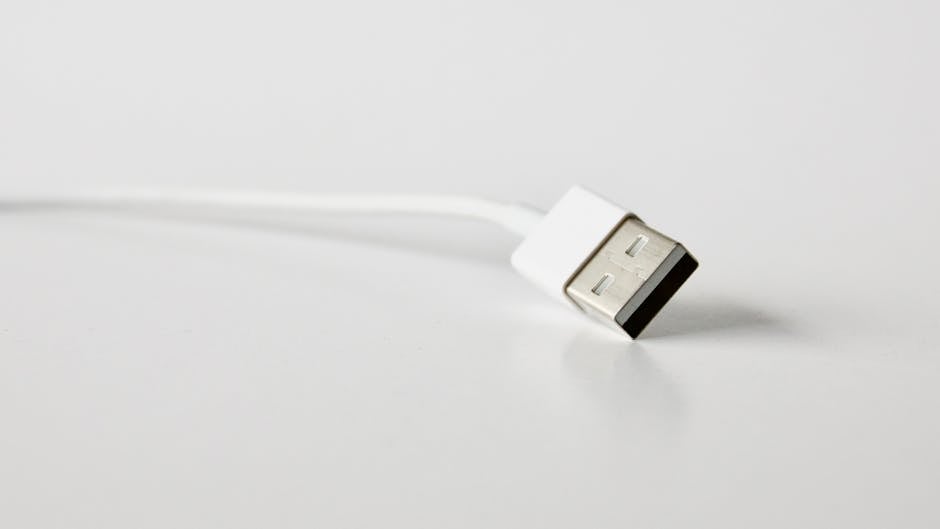
A reliable vape pen charger cable is key to a great vaping experience. But with so many options, how do you pick the right one? Understanding the different types helps you keep your device ready and working well.
Here are the main types of vape pen chargers:
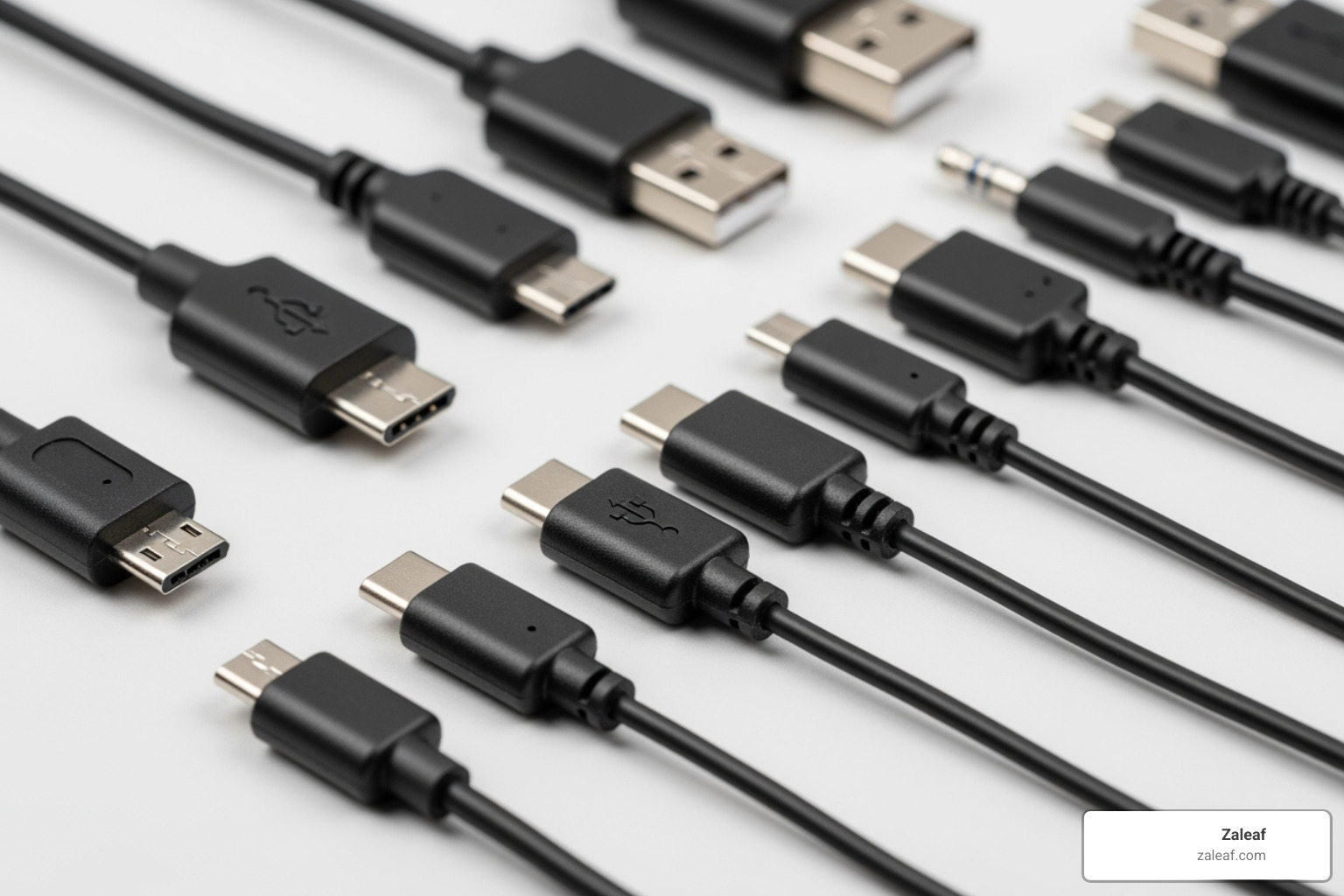
- USB Chargers: These are common and use either a Micro-USB or USB-C connector. Most vaping devices have built-in ports, allowing you to plug the cable into your vape and then into a USB power source.
- 510-Thread Chargers: These chargers screw directly onto the 510-threaded connection of your vape battery. Many vape pens and batteries for oil cartridges use this type.
- Standalone Chargers: If your vape uses removable batteries (like 18650s), you'll need a standalone charger. You take the battery out of your vape and place it into this charger.
Choosing the right charger ensures your device charges safely and efficiently, which also helps your battery last longer.
As Max Shemesh, Owner & CEO of Zaleaf, I know that understanding your vape pen charger cable is crucial for a top-notch experience. My goal is to guide you to the best charging solution.

Knowing the differences between charger types is the first step to keeping your device powered up. Let's explore the main categories.
USB Vape Chargers (Micro-USB & USB-C)
These are the most common chargers for vape pens, offering great convenience because most devices now have built-in USB ports.
- Micro-USB: For years, this was the standard for many electronic devices, including a vast number of vape pens. These cables are widely available, and you can often use any standard micro-USB cable.
- USB-C: This is the newer, more advanced standard. USB-C offers a reversible connector (no more fumbling!) and supports faster charging speeds, making it ideal for devices with larger batteries. For a deeper dive into how our cartridges interact with these devices, check out The Ultimate Guide to Cannabis Vape Carts: From THC to CBD.
The advantages of USB vape chargers are clear: they're convenient, often universally compatible, and allow for pass-through charging on some devices (letting you vape while charging).
510-Thread Vape Pen Chargers
Before USB became standard, many vape pens, especially for oil cartridges, charged via their 510 threading. You screw a special charger onto the battery where the cartridge usually goes. These are still common for 510 batteries and often have an LED to show charging status. Compatibility is key, as we explain in The Essential 510 Thread Battery Buyer's Guide.
Standalone Vape Battery Chargers
For advanced vape mods with removable batteries (like the popular 18650, 20700, or 21700 cells), a standalone charger is essential. You remove the batteries from your device to charge them externally.
Standalone chargers offer several key advantages:
- Independent Cell Monitoring: They can monitor and optimize the charging process for each battery cell individually.
- Adjustable Charging Rates: You can often choose a slower charging rate (e.g., 0.5A or 1.0A), which generates less heat and extends battery life.
- Faster Charging: They can charge multiple batteries efficiently, often faster than an in-device USB port.
Standalone chargers are a must for serious vapers who prioritize battery health, performance, and safety. Learn more in our guide, Stay Safe: Understanding Unprotected Vape Battery Risks.
How to Properly Charge Your Vape Pen
Charging your vape pen correctly is crucial for its health, safety, and long-term performance. A little care goes a long way.
Using a USB or 510-Thread Charger
Most of us will be using a USB or 510-thread charger. The process is straightforward.
For USB Chargers (Micro-USB & USB-C):
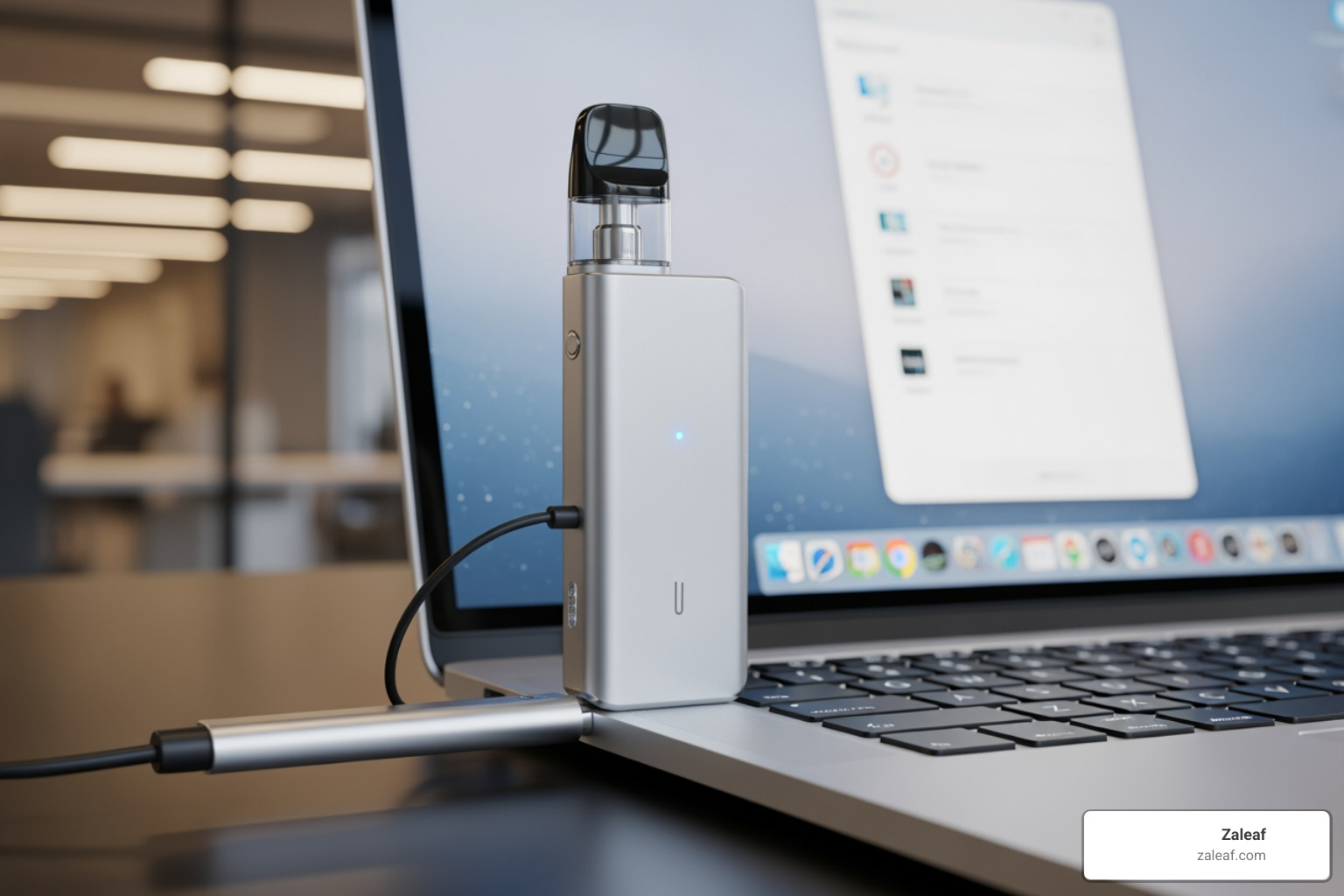
First, connect the vape pen charger cable to your device. Plug the Micro-USB or USB-C end into the port gently but securely. Never force it.
Next, choose your power source. A computer's USB port is often the best choice, as it provides a stable, low-amperage current that's gentle on the battery. If using a wall adapter, use the one provided with your vape or one with a matching power output. Avoid high-powered phone "quick chargers" as they can stress or damage the battery.
Plug the other end into the power source. Watch the vape's LED indicator. It will typically glow red or pulse while charging and turn green, blue, or switch off when fully charged.
For 510-Thread Chargers:
For 510-thread chargers, first remove the cartridge. Gently screw the vape pen charger cable onto the battery's 510 threading until snug.
Plug the USB end into a reliable power source. The charger's LED will usually glow red while charging and turn green when finished.
Charging times vary but often take about an hour, depending on battery size.
Using a Standalone Battery Charger
For mods with removable batteries, a standalone charger is best. This method involves charging the batteries outside your device.
First, safely remove the batteries from your turned-off mod. Place them in the charger, observing the correct positive (+) and negative (-) orientation. Most chargers have clear symbols to guide you.
Next, plug the standalone charger into a wall outlet. If your charger allows you to select a charge rate, we recommend choosing a low setting (like 0.5A or 1.0A). Slower charging generates less heat and is better for your battery's long-term health.
Finally, monitor the charging progress. Standalone chargers have LED indicators for each slot to let you know when a battery is fully charged.
For those who love rechargeable options, you might find some great insights in our guide, Power Up Your Vaping: Top Rechargeable Vape Pens Reviewed.
Troubleshooting Your Vape Pen Charger Cable and Battery
Is your vape pen dead and refusing to charge? Don't worry. Most charging issues are simple to fix. Let's troubleshoot the problem so you can get back to your Zaleaf experience.
Common Reasons Your Vape Pen Isn't Charging
When your vape pen won't charge, there are a few usual suspects:
- Faulty Cable: Your vape pen charger cable can wear out over time from bending and use, causing internal wires to break.
- Dirty Port: Lint and debris can build up in the charging port, blocking the connection.
- Deeply Discharged Battery: If a battery is left completely drained for a long time, it may enter a "deep sleep" mode and have trouble recharging.
- Wrong Power Source: Using an incompatible power source, like a high-powered phone charger, can prevent the vape from charging safely.
- Loose Connections: The connection points on the battery or charger (especially on 510-thread models) can become loose or dirty.
- Minor Glitch: Rarely, a minor software bug can temporarily affect charging.
If you're dealing with a disposable vape that won't charge, our guide on Vape Pen Rescue: How to Fix Your Disposable Device has some handy tips!
A Step-by-Step Troubleshooting Guide
Here’s a simple guide to help you troubleshoot your charging issues:
- Try a Different Cable: The easiest first step is to try a different, compatible vape pen charger cable that you know works. If it charges, the old cable was the issue.
- Change the Power Source: If a new cable doesn't work, try a different power source. Switch from a wall adapter to a computer's USB port, or vice-versa, to rule out a faulty adapter or outlet.
- Clean the Charging Port: With the device off, use a non-metallic tool like a toothpick or dry toothbrush to gently clean any debris from the charging port. Be careful not to damage the internal pins.
- Check Connections: For USB devices, look for bent pins in the port. For 510-thread devices, ensure the center pin on both the battery and charger is clean and slightly raised. For removable batteries, check that the outer wrapper isn't torn or damaged.
- Inspect for Damage: Look for any physical damage like cracks, dents, or signs of moisture that could affect internal components.
- Consult the Manual: If nothing else works, check your device's manual or the manufacturer's website for specific troubleshooting steps or reset procedures. And if your vape pen is blinking green, our article Is Your Vape Pen Blinking Green? Here's What It Means and How to Fix It has more insights!
Extending Battery Life and Choosing the Right Charger
Proper charging is key to extending your vape battery's life. You can often choose between slow and fast charging. Slow charging (e.g., 0.5A) generates less heat and is better for long-term battery health, though it takes longer. Fast charging (1.0A or more) is quicker but produces more heat, which can degrade the battery over time. Choosing the right charging habit makes a big difference.
Best Practices for Vape Battery Longevity
Lithium-ion batteries, which power most vape pens, are designed to last through hundreds of charge-discharge cycles. Here are our top tips for keeping your battery healthy:
Avoid Extreme Temperatures: Don't leave your vape in a hot car or freezing cold, as this can damage the battery cells.
Don't Fully Drain: Avoid letting the battery die completely. For long-term storage, aim for about an 80% charge.
Use Correct Amperage: When possible, choose a slower charging speed (0.5A or 1.0A). Less heat means a longer battery life.
Avoid Overcharging: While most modern devices have overcharge protection, it's still good practice to unplug your vape once it's full.
Store Removable Batteries Safely: Always use a dedicated battery case when transporting removable batteries to prevent short circuits.
Store in a Cool, Dry Place: Keep your vape away from direct sunlight and moisture when not in use.
For even more detailed strategies on maximizing battery life, explore Charge On: Maximizing Your Vape Battery's Life and Speed.
Factors to Consider When Choosing a Vape Pen Charger Cable
Choosing the right vape pen charger cable is about ensuring compatibility, safety, and longevity for your device.
Device Compatibility: This is crucial. Always check your vape's manual or the manufacturer's recommendations. Using an incompatible charger could damage your device or even void its warranty.
Connector Type: Ensure the cable has the right connector for your device: USB-C (newer devices), Micro-USB (older models), or 510-thread (for many oil cartridge batteries).
Cable Quality: Invest in a durable, well-made vape pen charger cable. Cheap cables are more likely to fail and provide inconsistent charging.
Charging Speed (Amperage): A slower charge (lower amperage) is generally better for your battery's long-term health.
Brand Requirements & Warranty: Some brands require you to use their specific chargers to maintain the warranty. Always check the manufacturer's policy.
Length: Consider cable length for convenience. A short cable is portable, while a longer one offers more flexibility.
Making an informed choice ensures you're not just charging your vape, but truly caring for it. For more guidance on selecting the right battery for your needs, our guide Shop Smart: Your Guide to Choosing a Vape Cartridge Battery can be very helpful.
Frequently Asked Questions about Vape Pen Chargers
Can I use my phone's fast charger for my vape pen?
It's generally not a good idea. Phone 'fast chargers' deliver a higher voltage and amperage than most vape pens are designed for. This can cause the battery to overheat, which degrades its capacity and can cause permanent damage. Some manufacturers may even void your warranty for using an incompatible charger.
For safety and battery health, use the vape pen charger cable that came with your device or charge it through a computer's USB port, which provides a gentler, lower-amperage current.
How do I know when my vape pen is fully charged?
Most vape pens have an LED indicator light. Typically, it will be red or orange while charging and will turn green, blue, or switch off entirely when the battery is full. More advanced mods may have a screen display with a battery icon or percentage.
Always check your device's manual, as indicator patterns can vary. While most modern vapes have overcharge protection, it's still good practice to unplug it once it's fully charged.
How often should I replace my vape pen charger cable?
There's no fixed lifespan for a vape pen charger cable, but you should replace it if you notice signs of wear. Look for:
- Visible damage: Frayed wires, cracks, or bent connectors.
- Loose connection: The cable wiggles or disconnects easily.
- Inconsistent charging: Charging stops and starts, or is unusually slow.
Regularly inspect your cable and replace it at the first sign of trouble. A new cable is a small investment in safety and reliability.
Conclusion
You now know the different types of vape chargers, how to use them correctly, and how to troubleshoot common issues. Most importantly, you're equipped with the best practices for extending your battery's life.
Remember to avoid extreme temperatures, use appropriate charging rates, and choose a quality, compatible vape pen charger cable. At Zaleaf, we want your experience to be as smooth as possible. Providing you with the knowledge to care for your gear is part of that commitment.
Making the right choice with your vape pen charger cable makes a real difference in your device's performance and longevity. For more insights, explore our guide on Demystifying Vape Batteries: Understanding the Differences. Happy vaping from your friends at Zaleaf!