

Decoding the Glow: A Quick Guide to Vape Pen Charging Light Colors
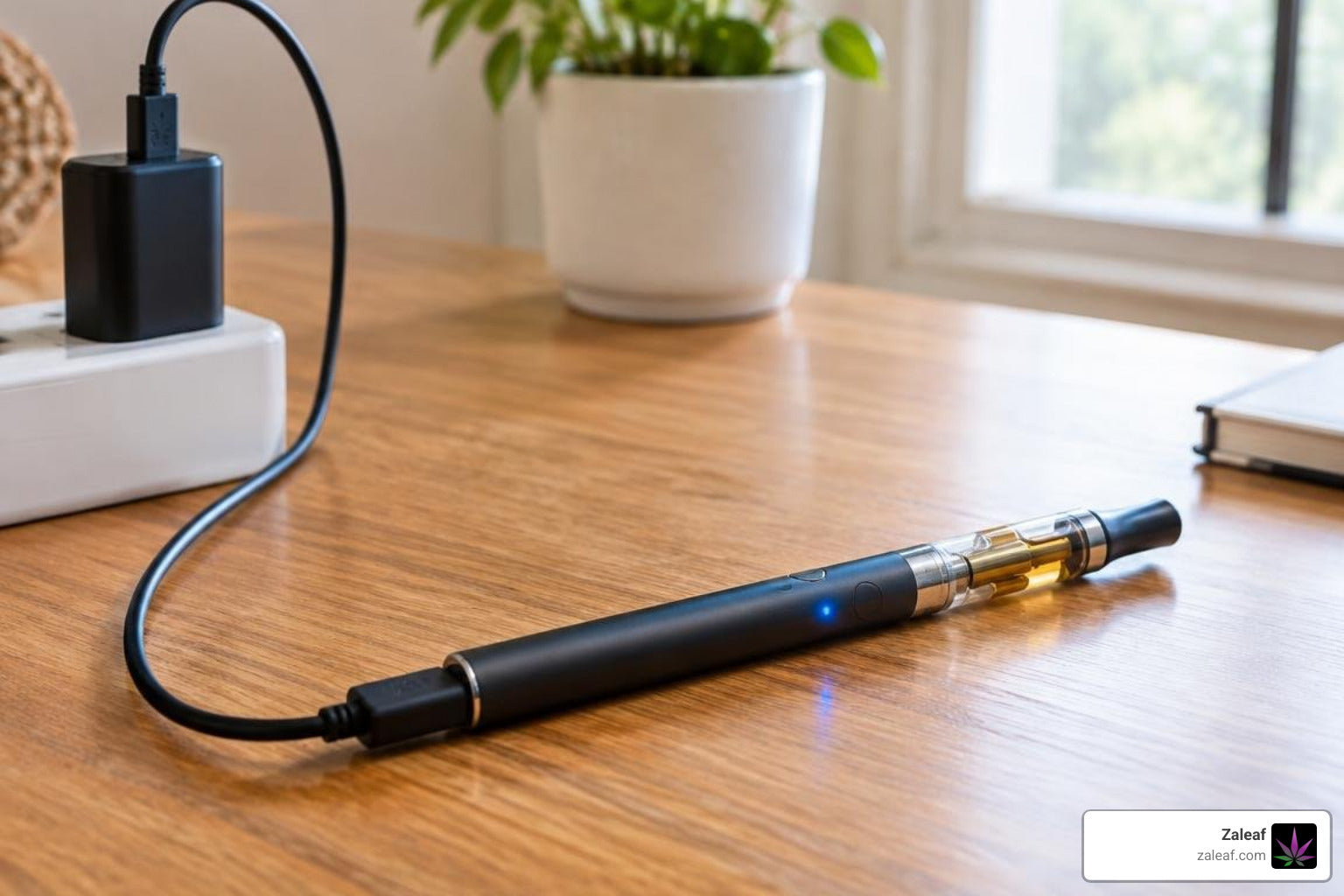
What Your Vape Pen Charging Light Is Telling You
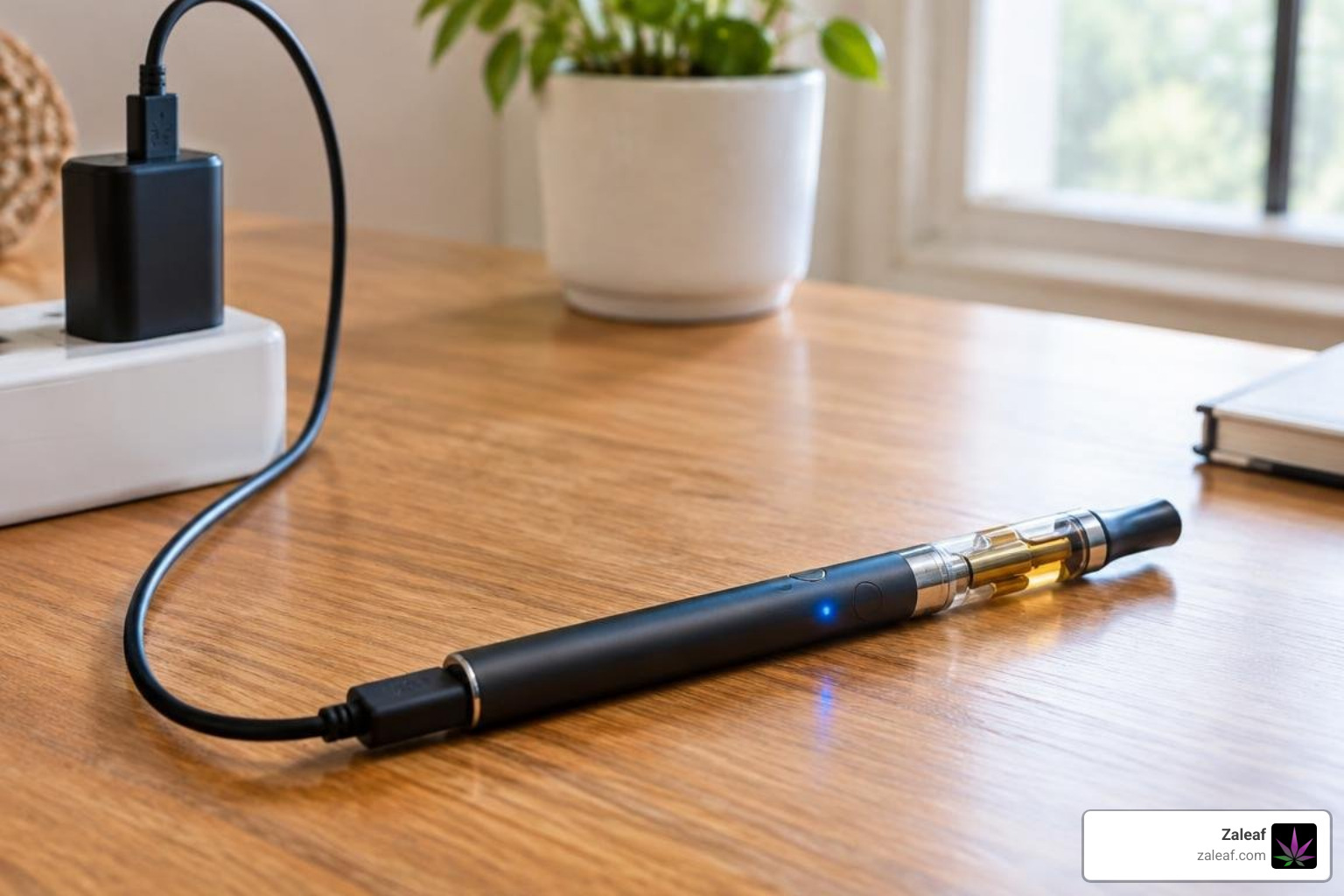
Start with the light's pattern, not just its color. A steady or gently pulsing light often means the pen is charging. Red commonly means the battery is low; green may mean it is full. Blue and white vary by device. Some pens turn the light off when charging is complete, but an unlit pen can also mean it is not getting power. Check your device's manual before relying on any color alone.
If the light blinks rapidly, never comes on, or stays lit long past the expected charge time, check the cable and charging connection before using the pen.
I'm Max Shemesh, owner and CEO of Zaleaf. My work in cannabinoid products has shown me how useful clear vape pen charging light guidance can be, so let's break down the signals.
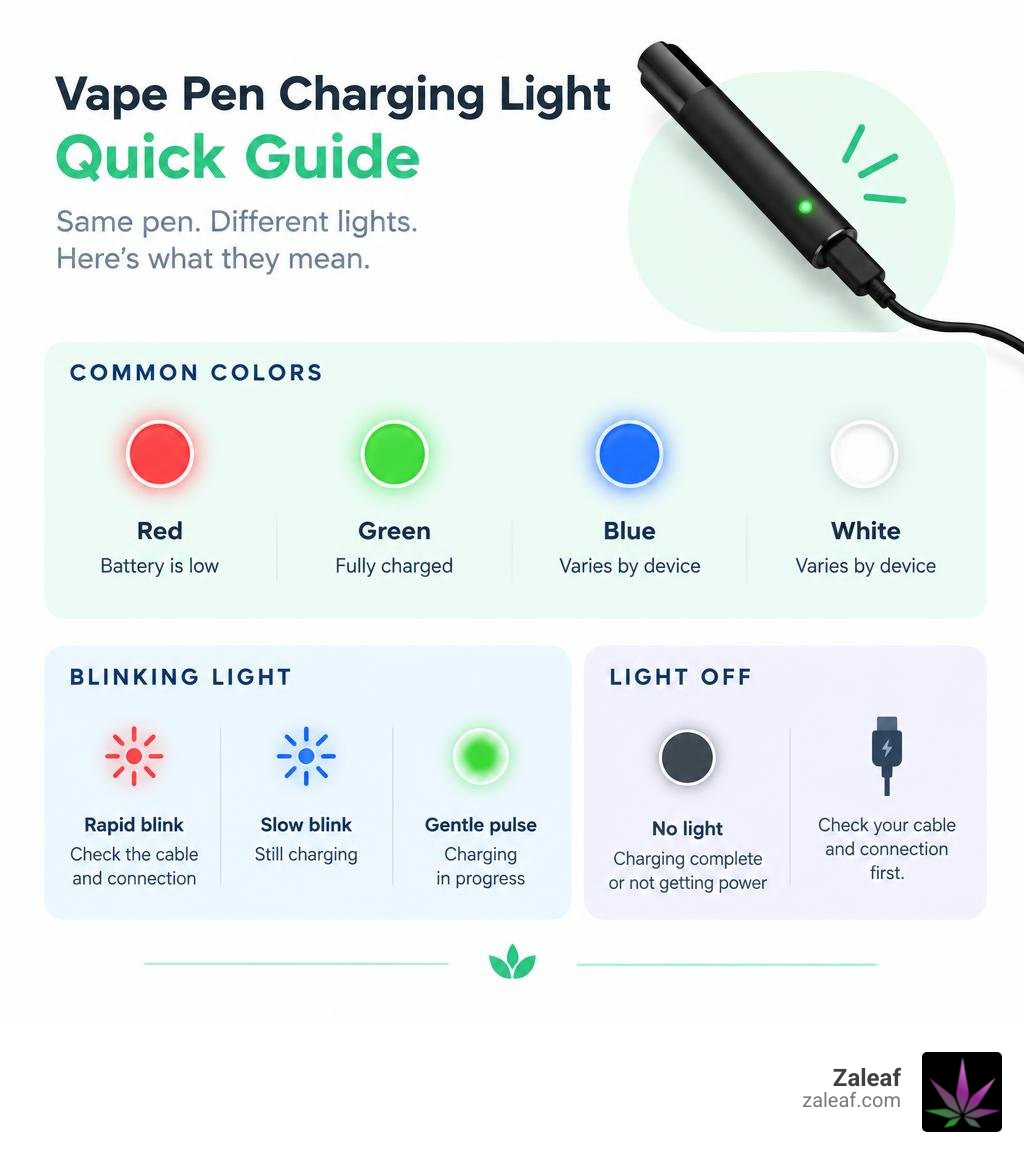
Basic vape pen charging light terms:
Understanding Vape Pen Charging Light Colors and Indicators
Every vape battery uses a built-in LED system to communicate what is happening beneath its shell. Because these tiny devices lack full operating systems, the LED indicator acts as your primary diagnostic tool. When you connect your hardware to power, the internal chipset reads incoming current and reports cell health via light patterns.
Understanding these signals ensures you do not unplug your setup prematurely or leave it drawing current when it has already reached peak voltage. Proper handling starts with mastering the fundamentals of 510 thread battery charging to ensure clean power transfer every time.
Solid vs. Pulsing Charging Lights
When you first connect your pen to a power source, the LED will display either a solid glow or a pulsing "breathing" animation.
- Pulsing or Breathing Glow: A slow, rhythmic fade indicates active power intake. The onboard safety board is actively regulating incoming current and replenishing lithium ions within the internal cell.
- Solid Light: A solid, non-blinking light usually signals steady charging at a stable current tier or indicates that your pen has reached full capacity, depending on the manufacturer's specific logic board.
If your pen feels slightly warm during a pulsing sequence, that is a standard thermodynamic reaction to energy transfer. However, if the device feels uncomfortably hot to the touch, disconnect the power immediately.
Red, Blue, and Green: Decoding the Color Tiers
Most modern vaporizers use a traffic-light color system to indicate internal capacity. While color mappings can vary slightly across different vape battery types, the standard operational tiers are consistent across modern hardware.
| LED Light Color | Typical Battery Level | Charging Behavior | User Action Required |
|---|---|---|---|
| Red | 0% – 30% | Solid glow or slow pulse | Keep plugged in; cell is at low voltage |
| Blue / Yellow / White | 30% – 70% | Slow pulse or constant glow | Intermediate stage; charging normally |
| Green / Solid White | 70% – 100% | Solid illumination or auto shut-off | Ready for use; unplug to prevent trickle strain |
| Rapid Blinking (Any Color) | N/A (Error) | 3 to 20 fast flashes | Check connection; port or thread short detected |
These multi-color light transitions provide the most accurate real-time readouts for standard compact vaporizers, giving you immediate clarity on current capacity.
How to Know When Charging Is Complete
Determining the exact moment your vaporizer reaches maximum capacity prevents long-term cell degradation. Vape pens rely on two standard termination signals:
- The Solid Green Switch: The indicator transitions from pulsing red or blue to a steady, solid green (or clean white) light.
- The Light-Off Method: The LED illuminates during the charging cycle and turns completely dark once the internal cell reaches 4.2V.
Most modern micro-controllers incorporate automatic overcharge protection, cutting off power intake once the cell reaches its ceiling to protect internal components.
Troubleshooting Blinking and Inactive Charging Indicators
A malfunctioning LED indicator often signals a disrupted electrical loop rather than a dead battery. If your pen displays an unexpected flashing pattern or refuses to illuminate, working through steps for troubleshooting a battery not charging will help you pinpoint the issue before discarding functional hardware.
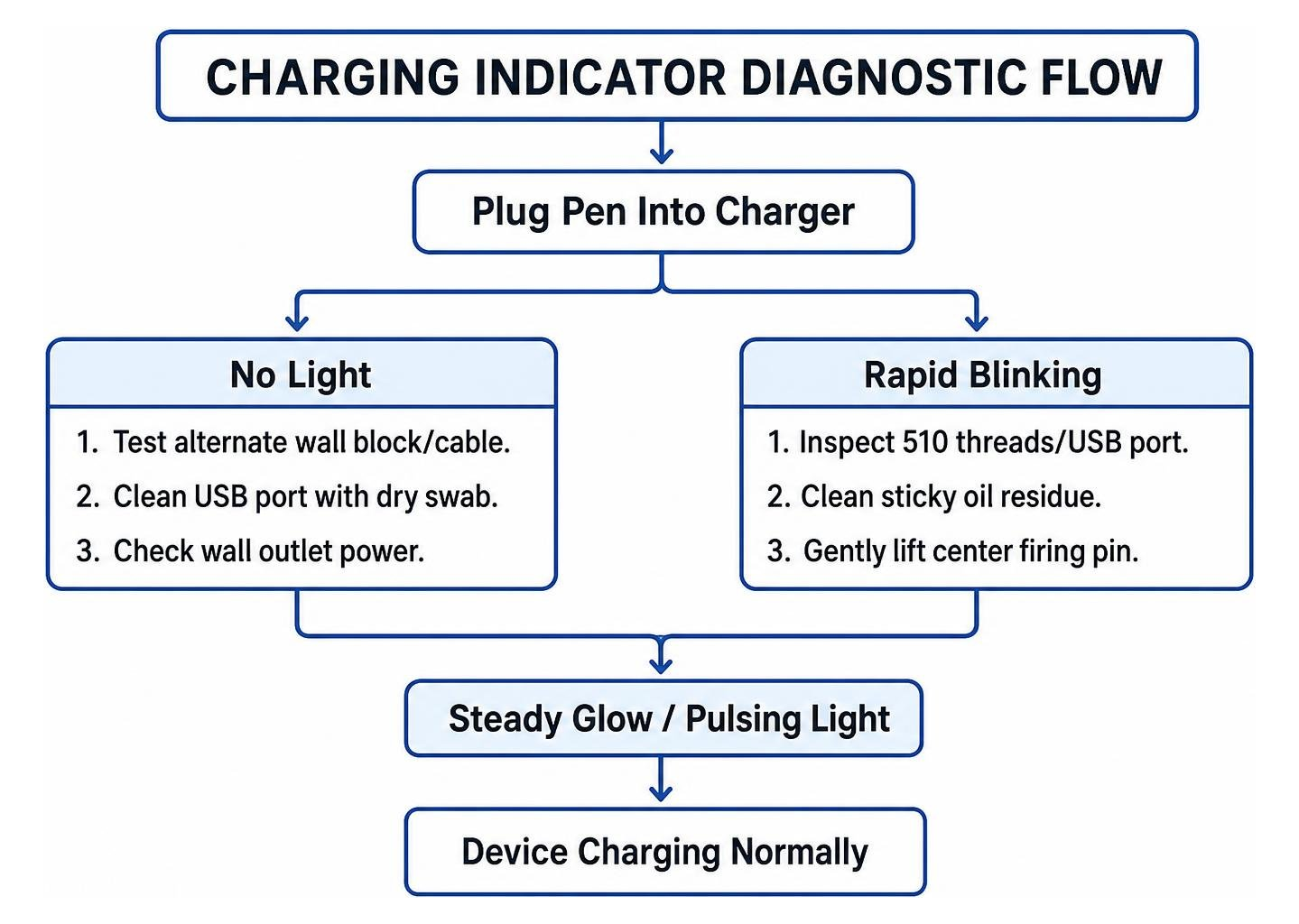
Why Is Your Vape Pen Charging Light Blinking?
A blinking light while connected to a power supply typically indicates that the chipset has detected a protective fault. Common triggers include:
- Connection Short: Oil residue or dirt across the charging plate bridges the positive and negative terminals.
- Depleted Voltage Floor: If a battery sits at 0% for months, it may flash in an attempt to stabilize current flow.
- Loose Contact: Screwed-on 510 chargers can lose contact if not seated firmly against the firing pin.
If your pen flashes green unexpectedly during connection or regular draws, read our guide on fixing a vape pen blinking green for step-by-step terminal adjustments.
Diagnosing a Vape Pen Charging Light That Won't Turn On
If your vape pen shows no sign of life when connected to power, work through the following physical checks:
- Inspect the Outlet and Cable: Switch out low-grade cables and test wall adapters. Ensure you are using a dedicated battery charger for vape pens outputting a steady 5V/1A current.
- Clean Thread Contacts: Residual concentrate or e-liquid builds up inside threaded connections. Dampen a cotton swab with 90%+ isopropyl alcohol, wipe the inner threads clean, and allow them to dry completely before reconnecting.
- Adjust the Center Pin: On standard 510-thread stick batteries, over-tightening cartridges can push the center contact pin down. Unplug the unit, take a paperclip, and gently pry the center brass pin upward by a millimeter to restore connection.
Hardware Interfaces and Charging Times by Capacity
A vape battery's charge duration is directly governed by its milliampere-hour (mAh) rating and its connection standard. Slim stick batteries charge quickly due to smaller internal cells, while high-capacity units take longer to safely balance current.
| Battery Capacity (mAh) | Device Format | Standard USB-C Time | Standard Micro-USB / 510 Time |
|---|---|---|---|
| 350 mAh – 400 mAh | Slim 510 Stick Battery | 25 – 35 minutes | 45 – 60 minutes |
| 500 mAh – 650 mAh | Compact Pod / Palm Battery | 35 – 50 minutes | 60 – 75 minutes |
| 1000 mAh – 1500 mAh | High-Capacity Variable Pen | 60 – 75 minutes | 90 – 120 minutes |
| 2000 mAh – 3000 mAh | Advanced Mod / Dual-Cell Unit | 90 – 120 minutes | 150 – 180 minutes |
For specialized setups, refer to our 510 battery charger guide alongside our breakdown on estimating how long a vape takes to charge across different charging formats.
USB-C vs. Micro-USB Signals and Pass-Through Vaping
The shift from older Micro-USB ports to USB-C has cut charge times across modern vaporizers. USB-C connections deliver a more reliable current flow, routinely taking a 400mAh cell to maximum voltage in 30 to 45 minutes, compared to over an hour via older Micro-USB ports.
Many modern USB-C devices also feature pass-through vaping, which allows you to draw from the device while it remains plugged in. When taking a draw during pass-through charging:
- The charging LED will temporarily switch off or shift to an active firing color.
- Once you release the button or finish your draw, the LED returns to its pulsing charging sequence.
Standard USB-C pass-through hardware with a 400 mAh cell allows continuous use without waiting for a full cycle, and Zaleaf-compatible batteries with this feature deliver the same convenience.
510-Thread Batteries vs. Pod System Indicators
Display mechanisms differ between threaded cartridge batteries and integrated pod devices:
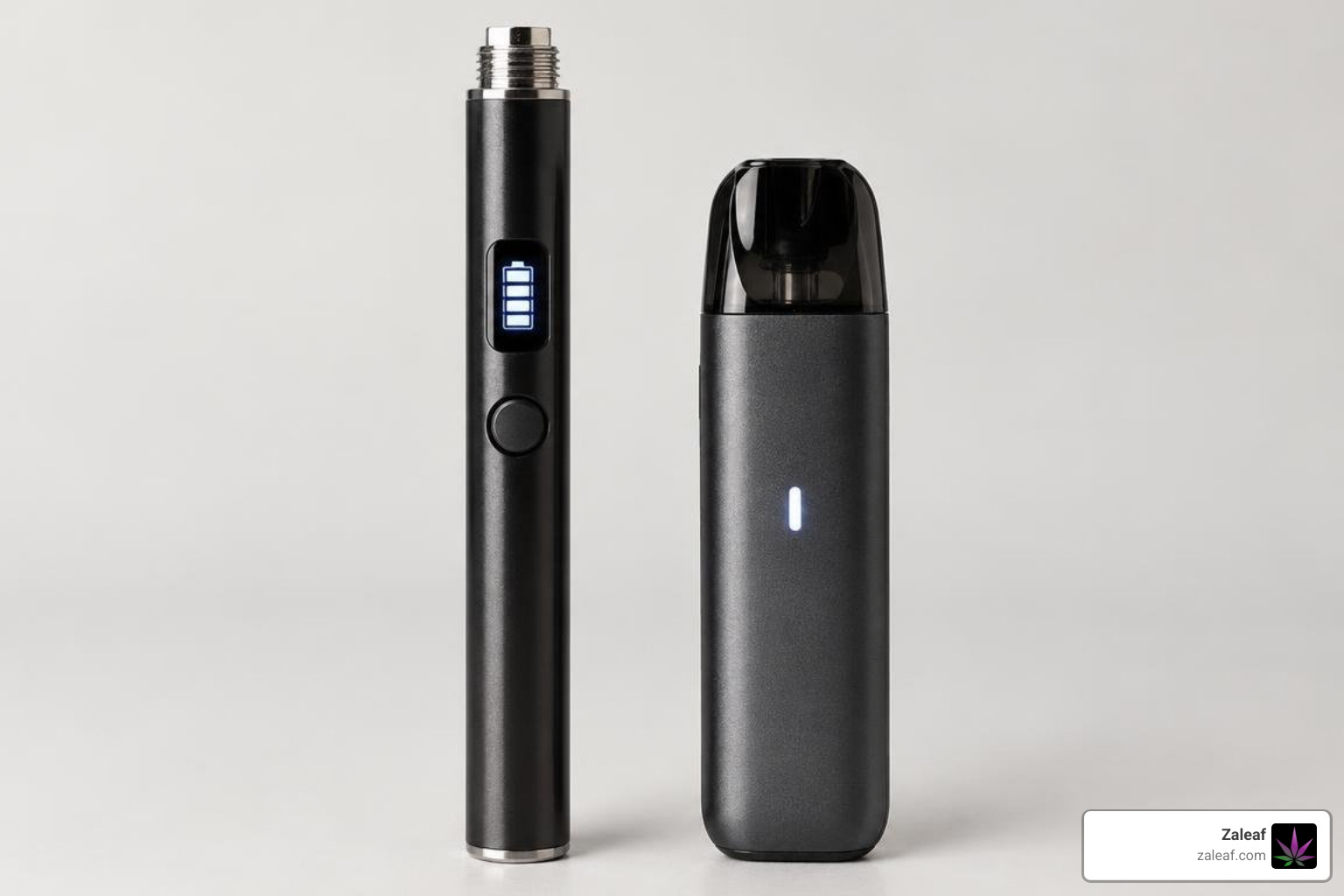
- 510-Thread Batteries: Often utilize a single multi-color ring LED around the firing button or bottom base. Premium designs, including the best 510 battery options, may feature digital screens displaying real-time voltage and battery percentages.
- Pod Systems: Commonly feature a segmented vertical light bar where three or four distinct LED lines light up in sequence as internal capacity climbs.
- Concentrate Hardware: Those exploring custom formulations can read our breakdown demystifying THC vape batteries to understand how different variable-voltage chips manage power delivery and visual feedback.
Best Practices for Vape Battery Health and Safety
Lithium-ion cells have a standard lifespan of 300 to 500 charge cycles before their internal capacity begins to degrade, a pattern well documented in general lithium-ion battery research. Protecting that lifespan depends on how you handle each charge cycle:
- Avoid the 0% Depletion Trap: Do not run your battery down until it is dead. Recharge when the LED reaches the red/low stage (around 20-30%).
- Avoid Unregulated Power Outlets: Fast-charging bricks designed for laptops and flagship smartphones output excessive wattage that can overheat compact vape safety boards.
- Manage Charging Temperatures: Never charge a battery in direct sunlight, on soft bedding, or inside a hot car. Thermal runaway is the leading cause of internal cell breakdown.
Understanding unprotected vape battery risks is critical to avoiding permanent hardware failure and maximizing how long a vape pen battery lasts throughout daily use.
Frequently Asked Questions About Vape Pen Charging Lights
Can I leave my vape pen charging overnight?
We do not recommend leaving compact vaporizers charging overnight. While most quality devices feature automatic 4.2V shut-off logic, keeping a device connected for extended hours exposes the cell to ambient heat and continuous trickle charging. Unplug your device once the LED turns green or shuts off.
Can I use my phone's fast-charging wall adapter for my vape pen?
Avoid using high-wattage fast-charging wall blocks (such as 45W, 65W, or 100W phone/laptop chargers) unless your vape pen user manual explicitly certifies USB-PD compatibility. Standard vape pen logic boards are engineered for a 5V/1A or 5V/2A input; excessive input can fry the internal charging board.
Why does my vape pen light stay on without actually charging?
If an LED stays locked in a solid, unblinking state when disconnected from power or fails to gain charge while plugged in, the device may be experiencing a logic-board lockup or a short circuit across the connection pins. Try clicking the firing button five times rapidly to reset the micro-controller, clean the base threads with isopropyl alcohol, and inspect the central pin for alignment.
Conclusion
Knowing how to read your vape pen's charging light takes the guesswork out of daily use. By paying attention to LED color tiers, pulsing patterns, and shut-off behaviors, you can protect your device's internal cell, avoid unexpected downtime, and keep your hardware operating safely.
At Zaleaf, we provide 100% legal, third-party lab-tested cannabinoid products with custom terpene and cannabinoid profiles designed for clean, mood-specific effects—all shipped directly with discrete packaging and no medical card required. To keep your setups running at peak performance, explore our guide on maximizing your vape battery's life and speed and enjoy consistent, reliable power on every draw.